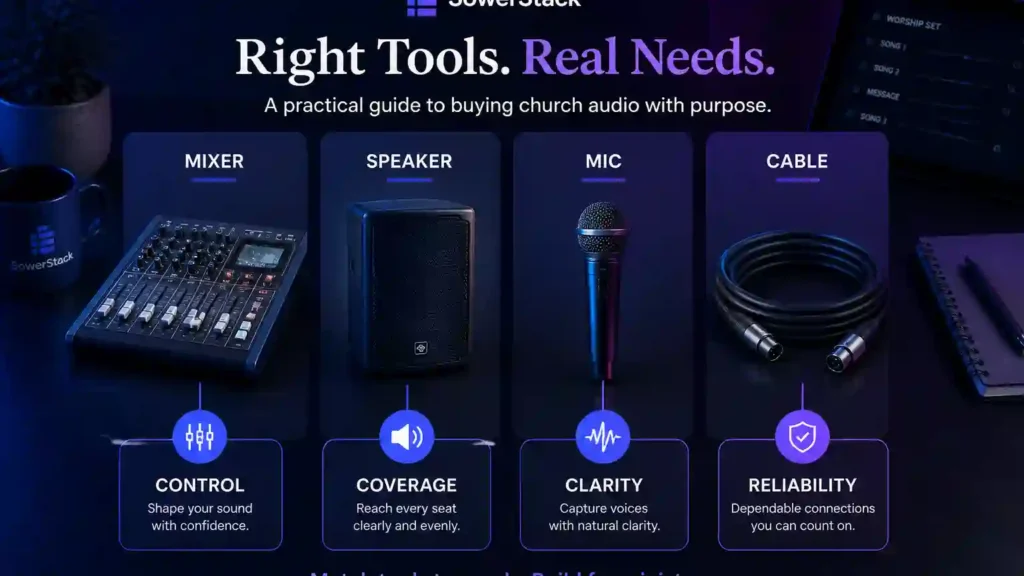
A church planter can spend an entire evening comparing mixers and still feel less certain than when he started. One product review praises a simple analog board. Another video insists a digital console is the obvious choice. A forum thread argues about powered speakers and subwoofers for a room that seats seventy people.
Most pastors do not need to become audio specialists. You need enough clarity to buy what serves your room and your volunteers without paying for complexity you cannot yet use. The right system is not the one with the most impressive feature list. The right system is the one that helps people hear clearly and helps volunteers serve without constant anxiety.
This guide gives you a practical way to think about church audio purchases. It is not written for a large organization with a dedicated technical department. It is written for leaders trying to be faithful with whatever God has given them to work with.
Start with the room and the responsibility
Buy by need, not by category
| If the problem is | Look first at | Because |
|---|---|---|
| People cannot understand speech | Microphone use and speaker placement | Clarity starts before the mixer |
| Volume changes feel chaotic | Mixer simplicity and labels | Volunteers need repeatable controls |
| The room has dead spots | Speaker coverage | More volume is not the same as better coverage |
| Failures happen often | Cables, stands, and storage | Small weak links create Sunday pressure |
Your room determines more about your sound needs than most product pages will admit. A portable church meeting in a school cafeteria has a different problem than a small sanctuary with high ceilings. A fellowship hall used for preaching and simple songs has different needs than a room with drums, bass, keyboards, and several vocalists.
Begin by naming what must be heard. In many churches, the first responsibility is speech clarity. People need to hear Scripture, prayer, announcements, and the sermon with dependable clarity. Music matters deeply, but if the spoken word is unclear, the system is not serving the central purpose of the gathering.
After speech clarity, think about participation. Can the congregation sing without being covered by the speakers? Can the people leading hear enough to stay together? Can a visitor understand what is happening without straining? These are ministry questions before they are technical questions.
A wise audio purchase begins with the work the system must do. The room and the weekly pattern should shape the gear list around the people you serve.
The mixer is the control center
The mixer gathers every sound source and gives your volunteer a way to balance them. A pastor’s microphone and a worship leader’s vocal need inputs. Keyboards, guitars, laptops, and handheld microphones need the same kind of planning. The mixer is where those signals become one mix for the room.
Analog mixers are still useful for simple churches. They are direct, visible, and easy to understand. A volunteer can look at the board and see the basic state of the system. If your weekly setup uses a few microphones and a media input, an analog mixer may be the most faithful fit because it keeps the job manageable.
Digital mixers are useful when you need saved settings, remote control, built-in processing, or separate monitor mixes. They can reduce the amount of extra gear you need. They can also overwhelm a volunteer who only needed a simple way to control six sources.
Count your sources before choosing a mixer. A speaking microphone is one channel. Each vocal microphone is one. A keyboard in stereo is usually two. A laptop can be one or two. A guitar with a direct box is one. Leave a little room for growth, but do not buy thirty-two channels because someone online said serious churches need them.
A church with basic speech and media can often work well with eight to twelve channels. A small worship team usually fits comfortably in twelve to sixteen. A fuller band with multiple vocals, drums, and separate monitor needs may justify a larger digital board. The key is fit, not status.
Speakers carry clarity to the people
Speakers decide how the room actually receives the mix. A clear signal at the mixer can still become muddy or uneven if the speakers are the wrong size or aimed poorly. Before buying speakers, walk the room and think like someone sitting in the seats.
Powered speakers are often the simplest choice for churches. The amplifier is built in, so you do not need to match a separate amp to the speaker. Setup is cleaner, especially for portable churches or rooms that change during the week. A pair of reliable powered speakers can serve many small and mid-size rooms well.
Passive speakers can be a good fit in a permanent installation designed by someone who understands the room. They allow more custom planning, but they also add parts and decisions. If you do not have someone who can design and maintain that kind of system, powered speakers usually keep the path simpler.
Placement matters as much as purchase. Two good speakers placed above head height and aimed at the seating area can outperform more expensive speakers pointed at walls, ceilings, or the front row. Listen from several seats across the room. Notice where speech becomes unclear or volume changes sharply.
Do not add more speakers before you understand the coverage problem. More boxes can help in some rooms, but they can also create timing and phase issues that make sound less clear. Start with a clean, simple arrangement and adjust from what you hear.
Microphones shape the source
Microphones are where the system begins. A good microphone placed well gives the mixer something useful to work with. A weak or poorly placed microphone forces the volunteer to compensate later, which usually creates new problems.
Handheld microphones are simple and dependable. A wired handheld on a stand can serve preaching, announcements, prayer, and guest speakers with very little fuss. A wireless handheld adds movement, but it also brings battery management and frequency coordination.
Lapel microphones free the speaker’s hands and can look less noticeable, but placement matters. A lapel clipped too low or hidden behind clothing can sound distant or muffled. It may also pick up clothing noise. If your pastor moves naturally while preaching and does not want to hold a microphone, a lapel can work well with careful setup.
Headset microphones keep the capsule close to the mouth as the speaker turns their head. That consistency often produces strong clarity for preaching and teaching. Some leaders prefer a less visible option, but a headset can be a good fit when speech clarity and recording quality matter.
Wireless is not automatically better. If the speaker stays at a pulpit or music stand, a wired microphone may be more dependable and far less expensive. Use wireless where movement truly serves the ministry moment, not simply because it feels more professional.
Monitors help leaders serve without fighting the room
Monitors let singers and musicians hear what they need in order to lead well. Without some kind of monitor, people often play or sing louder just to find themselves in the sound. The room gets louder, the mix gets harder, and the congregation may hear more volume than clarity.
Floor wedge monitors are the common starting point. They sit on the floor and point toward the person who needs to hear. They are simple, visible, and easy to share. In a small room, even one or two wedges can be enough if they are positioned carefully.
In-ear monitors reduce stage volume and give musicians a more controlled listening environment. They can be helpful, especially with drums or louder instruments, but they require more setup and usually more cost. They are not usually the first purchase for a church still building basic audio habits.
Monitor decisions should follow the team you actually have. If one worship leader sings with an acoustic guitar, the need is different from a full band. If your volunteers are already stretched, a simple wedge may serve better than a more complex personal monitor system.
Good monitoring is not about comfort alone. It helps the people leading stay together so the congregation can participate without distraction.
A practical buying order
Microphone and mixer input
Powered speakers placed well
More inputs and monitors
Subwoofer, scenes, or in-ears
Cables and stands deserve more respect
Small pieces often decide whether Sunday morning feels calm or chaotic. A dependable cable is not exciting, but a failed cable can interrupt a service faster than many larger problems. Good planning includes the unglamorous parts.
Buy enough XLR cables for microphones and powered speakers, then buy a few spares. Label them if several people set up the system. Keep known working cables separated from cables that need testing. A box of mystery cables is not a system. It is a future interruption.
Microphone stands matter because placement matters. A stand that slips during a sermon or droops during a song creates frustration for the person speaking or singing. A few sturdy stands will serve longer than several fragile ones.
Direct boxes are useful when instruments need to send a clean signal to the mixer. Acoustic guitars with pickups, keyboards, and bass guitars often benefit from them. A direct box can reduce noise and make longer cable runs more reliable.
A stage snake or stage box can help if several cables run from the platform to the mixer. Portable churches especially benefit from fewer loose cables crossing the room. Cleaner setup protects both sound and safety.
Subwoofers are not always the next step
A subwoofer adds low-frequency support for bass guitar and kick drum, along with tracks that need more low end. It can make music feel fuller, especially in larger rooms or churches with a band. It can also add weight the room does not need if the rest of the system is not already clear.
Many churches should wait on a subwoofer until the main speakers are placed well, speech is clear, and the volunteers can manage the existing system confidently. Low end is difficult in small rooms. Too much of it can make the whole mix feel muddy.
If your church uses simple acoustic music, a subwoofer may not be necessary for a long time. If you use drums, bass, or tracks every week, it may eventually become a good fit. Let the ministry pattern and the room decide.
The best time to add low-frequency support is when you can name the need clearly. “Our main speakers are clear, but the kick and bass do not have enough support for the way we lead music” is a useful diagnosis. “Other churches have one” is not enough.
Recording and livestream audio need a separate thought
The sound in the room and the sound online are related, but they are not the same. A room mix is shaped by what people hear from instruments, voices, and speakers in the space. A livestream mix only hears what you send to it.
If your church streams or records, avoid assuming the main output will automatically serve online listeners well. Speech may be too quiet. Music may feel unbalanced. Room noise may be missing. A simple dedicated mix for recording or livestream can make a noticeable difference.
You do not need a broadcast studio to begin. You may need a mixer with an auxiliary output, a basic audio interface, and a volunteer who understands how to listen on headphones. The aim is faithful clarity for the person who is watching from home, recovering from illness, exploring the church, or sharing the sermon with someone else.
Online audio is part of hospitality. If someone’s first experience with your church is a sermon recording, the clarity of that recording can either serve their attention or make listening harder than it needs to be.
How to choose between budget levels
Budget categories are helpful only if they match the work your system must do. A lower-cost tool can be the right fit when the room is simple and the team is still learning. A higher-cost tool can be the right fit when it removes known friction and will be used well.
For mixers, spend more when you need more inputs, saved settings, routing, or monitor control. Do not spend more only because the board looks more serious. A simple mixer operated with confidence will serve better than a complex mixer that makes volunteers hesitant.
For speakers, prioritize dependable clarity and proper coverage. If the room seats a modest number of people, a good pair of powered speakers may be enough. If the room is deep, wide, or acoustically difficult, get advice before buying. Speaker decisions interact with the room in ways product reviews cannot fully answer.
For microphones, spend for reliability and the right type. A dependable wired handheld is often one of the best values in church audio. Wireless systems should be purchased carefully because cheap wireless can create more problems than it solves.
For accessories, resist the urge to buy the cheapest possible version of everything. Cables, stands, direct boxes, and cases are the parts volunteers touch constantly. Dependable small pieces help the whole system feel more stable.
Used gear can be wise with care
Used equipment can stretch your resources, especially with microphones, stands, speakers, and analog mixers. A well-kept wired microphone can serve for years after someone else sells it. A sturdy used stand may be a better purchase than a new flimsy one.
Wireless systems require more caution. Frequency rules change, and older units may operate in ranges that are no longer appropriate for unlicensed use. Batteries, antennas, and transmitters also wear in ways that are harder to judge quickly.
Test used speakers before buying if possible. Listen for distortion, rattles, or intermittent problems. Check inputs and controls. If a seller cannot demonstrate that the item works, price the risk honestly or keep looking.
Used gear is not second-class stewardship. It can be a wise choice when you know what you are buying and why it fits the system.
Training belongs in the buying plan
Every equipment plan should include training. A church can buy good tools and still struggle if volunteers are left to figure everything out under Sunday pressure. Training turns purchases into usable ministry capacity.
Set aside part of the audio resources for a local trainer, even if the session is short. Ask them to teach your team on your system in your room. Let volunteers practice with the actual microphones, speakers, monitors, and mixer they use each week.
Training also helps you delay purchases that are not needed yet. Once a volunteer learns better microphone placement and gain structure, the system you already own may perform better than expected. That does not mean you never buy more. It means you buy from clarity rather than frustration.
If you are planning a larger purchase, consider scheduling training after installation. The installer or a local engineer can walk your team through basic operation, weekly setup, troubleshooting, and safe starting points. That handoff is part of the investment.
A simple path for your next purchase
A clear buying process can keep the conversation from drifting toward whatever product was most recently recommended online. Start by writing down the actual problem. Use plain language. “People in the back cannot understand the sermon” is better than “We need better speakers.”
Then identify what you have already tried. Have you adjusted microphone placement? Have you walked the room during service? Have you tested cables? Have you asked someone with audio experience to listen? This step honors the equipment you already own and the people who already serve.
Next, decide whether the need is a tool, training, placement, repair, or habit. Many issues are a mixture. A new microphone may help, but only if the speaker is taught how to use it. A new monitor may help, but only if the team learns how to set it without creating feedback.
Finally, buy the simplest tool that faithfully solves the known problem. Simplicity is not a lack of ambition. It is often what makes a system sustainable for the people who will use it every week.
The point of church audio
Church audio serves the gathered people by removing unnecessary barriers to hearing and participating. It is not a contest of equipment. It is not a badge of seriousness. It is a practical act of hospitality and stewardship.
You do not need every feature at once. You need a system that fits your room and your volunteers while serving your ministry pattern. You need equipment that can be understood, maintained, and used with confidence. You need a buying plan that begins with clarity and ends with people being served.
We can help you think through digital and practical ministry systems with that same posture: tools should serve the work, not become the work. Whether the question is audio, follow-up, websites, or communication, the principle holds. Start with the people. Name the responsibility. Choose the tools that help you be faithful with what God has put in your hands.


Recent Posts
-
 “Broadcast” was a farming word first, and it changes how you read Matthew 13
 -
 What broadcasting actually looks like in an ordinary week
 -
 The one ChMS report that tells you if people are actually connecting
 -
 Breeze vs ChurchTrac: Which One Fits a Smaller Church Better?
 -
 How to evaluate church management software for your size church