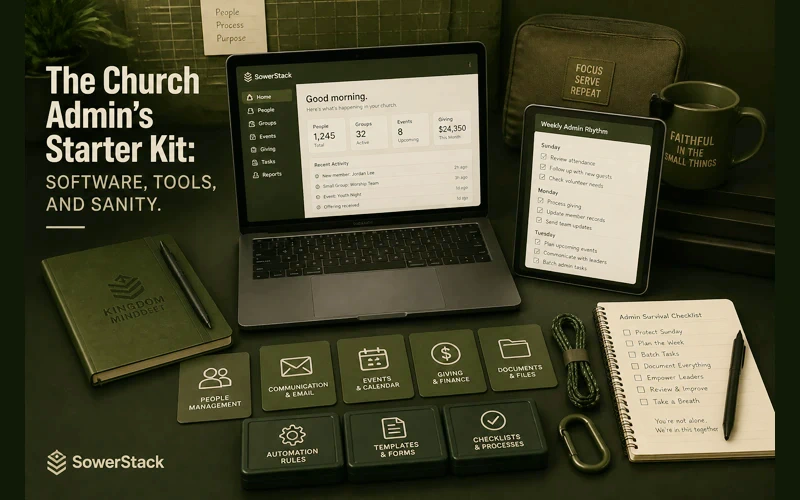
Nobody hands you a manual when you become a church administrator. One week you’re volunteering to help in the office, and the next you’re responsible for tracking every member, managing every dollar, coordinating every volunteer, and answering every question that doesn’t clearly belong to someone else.
The instinct is to solve everything at once. Sign up for six platforms in one afternoon. Migrate data you don’t fully understand into systems you haven’t learned yet. Build the perfect digital infrastructure before Sunday.
That instinct will bury you.
A better approach is to build your toolkit in stages, starting with what matters most and adding complexity only when you’ve outgrown simplicity. Not every church needs every tool. But every church administrator needs to know what’s available, what it costs, and in what order to adopt it.
This is that list.
People come first: church management software
Before you can communicate with your congregation, schedule volunteers, or track giving, you need to know who your people are. A Church Management System (ChMS) is the foundation everything else sits on. Skip this step and you’ll spend the next two years maintaining disconnected spreadsheets that nobody trusts.
A ChMS stores your member directory, tracks attendance, manages groups, and in many cases handles communication and basic reporting. The three strongest options for churches working with limited resources are Breeze, ChurchTrac, and Tithe.ly.
Breeze is built for simplicity. The interface is clean, the learning curve is short, and most church staff can start using it within an hour. It runs $75/month with no per-person pricing, which means a church of 50 pays the same as a church of 500. For a new administrator who needs to get organized fast without drowning in features, Breeze is hard to beat.
ChurchTrac offers a free tier that handles up to 100 people, which makes it the most accessible starting point for small congregations. The paid plans scale gradually, and the feature set is surprisingly deep for the price. If your church is under 100 members and your budget is genuinely tight, ChurchTrac gives you a real system at no cost.
Tithe.ly ChMS comes bundled with Tithe.ly’s giving platform, which matters if online giving is a priority (and it should be, but we’ll get to that). The ChMS itself is functional and improving steadily. Where Tithe.ly stands out is the integration between your people database and your giving data. One system, one login, one set of reports. For a solo administrator wearing multiple hats, that consolidation has real value.
If you’re starting from zero, pick one of these three based on your church size and budget. Get your people entered, your households organized, and your groups set up. Do not move to the next category until this foundation is solid.
Giving: the tool your congregation will actually touch
Your ChMS is an internal tool. Your giving platform is the one piece of church software that your members interact with directly, which means it needs to be simple, trustworthy, and frictionless.
Three realities shape this decision for most churches. Your members want to give from their phones. They want recurring giving to be easy to set up. And they do not want to create an account or download an app just to put money in the offering.
Tithe.ly handles all three well. The giving experience is clean, mobile-friendly, and doesn’t require donors to jump through hoops. Text-to-give is included, recurring giving is straightforward, and the reporting integrates directly into Tithe.ly’s ChMS if you’re using it. Their free plan covers the basics with standard processing fees (2.9% + $0.30 per transaction), which is industry standard.
If you chose Breeze or ChurchTrac as your ChMS, both offer built-in giving features as well. Breeze includes online giving with simple setup and reasonable processing rates. ChurchTrac offers giving tools in its paid tiers that connect directly to your member records. The advantage of using giving within your ChMS is the same as Tithe.ly’s pitch: fewer systems, fewer logins, fewer places where data gets lost.
The question isn’t which giving platform is objectively best. The question is whether your current setup makes it easy for someone to give at 11:30 on a Sunday morning from their phone without asking anyone for help. If the answer is no, this is your most urgent fix.
Communication: saying the right thing to the right people
Once you know who your people are and your giving is functional, the next priority is communication. And for most churches under 300, the answer is simpler than you think.
You don’t need a marketing automation platform. You need the ability to send a clear email to a specific group of people, and you need to be able to send a text tangleage when something is time-sensitive.
Most ChMS platforms include basic email functionality. Breeze, ChurchTrac, and Tithe.ly all let you send emails to groups, tags, or your entire directory. For a church administrator just getting started, this is sufficient. You don’t need Mailchimp on top of your ChMS. You need your ChMS email to actually work, and you need to use it consistently.
For text tangleaging, the landscape is more fragmented. Tithe.ly offers built-in texting. If your ChMS doesn’t include it, a standalone service like Clearstream or Pastorsline can fill the gap for $20-40/month depending on volume. Texting matters because email open rates for churches hover around 30-40%. Text open rates sit above 90%. When the youth group location changes on Saturday afternoon, email won’t save you.
A practical communication stack for a new church admin looks like this: use your ChMS for weekly and routine emails, add texting for urgent and time-sensitive updates, and use your church’s existing social media accounts for public-facing announcements. Three channels, each with a clear purpose.
Scheduling: getting the right people in the right place
Volunteer scheduling is where new administrators often lose the most time. Phone trees, group texts, spreadsheets with color-coded tabs. It works until it doesn’t, and it usually stops working around the third time someone shows up to serve on a week they swapped with someone else and nobody updated the spreadsheet.
If your ChMS includes volunteer scheduling, start there. Breeze offers volunteer management that lets you create serving teams, set schedules, and send automated reminders. ChurchTrac handles scheduling within its platform as well.
For churches that need more robust scheduling, Planning Center is the standard. The free tier of Planning Center Services covers up to two service types, which is enough for most churches running a single Sunday morning service. If you’re coordinating worship teams, tech volunteers, children’s ministry workers, and greeters across multiple services, Planning Center’s paid tiers ($20-70/month) give you the depth to manage it cleanly.
The key principle with scheduling software: the tool only works if volunteers can access it themselves. Whatever you choose needs to let your people see when they’re scheduled, request swaps, and confirm availability without calling you. If you’re still the single point of contact for every scheduling question, you haven’t solved the problem. You’ve just digitized the bottleneck.
File storage and document management
Every church runs on documents. Bylaws, meeting minutes, budgets, event plans, volunteer applications, background check forms, policy manuals. Where do these live?
If the answer is “on the office computer” or “in a filing cabinet,” you have a fragility problem. One hard drive failure, one office flood, and institutional knowledge disappears.
Google Workspace offers a nonprofit discount through Google for Nonprofits that brings the cost to zero for qualifying organizations. That gives you Google Drive for shared storage, Google Docs for collaborative documents, Google Sheets for lightweight data, and Gmail with your church’s domain. For most churches, this is more than enough.
Microsoft 365 offers similar nonprofit pricing through TechSoup, often at steep discounts or free. If your church already runs on Microsoft products, staying in that ecosystem makes sense.
The critical move isn’t choosing between Google and Microsoft. The critical move is getting your documents off local machines and into a shared, cloud-based system where more than one person can access them. A new administrator should be able to find last year’s budget without asking the former administrator to dig through a personal laptop.
Set up a clear folder structure. Church governance in one folder, finances in another, ministry areas each in their own. Name files with dates. Keep it boring and consistent. Future you will be grateful.
Accounting: tracking the money with integrity
Church finances deserve the same rigor as any nonprofit’s books. A shoebox of receipts and a personal checking account might work for the first few months of a church plant, but it creates real problems as the church grows and accountability becomes more important.
QuickBooks Online offers nonprofit pricing and is the most widely supported option for small organizations. Your accountant, your auditor, and your denomination’s finance office will all know how to work with QuickBooks. That familiarity has practical value.
Wave is a free accounting platform that handles invoicing, receipt scanning, and basic financial reporting. For a very small church that can’t afford QuickBooks, Wave covers the essentials without cost.
Aplos is built specifically for churches and nonprofits. It handles fund accounting natively, which matters because church finances often involve designated funds (building fund, missions fund, benevolence fund) that need to be tracked separately. Aplos pricing starts around $59/month, but the fund accounting features can save you significant headaches at year-end.
Whichever tool you choose, the non-negotiable practices remain the same: separate bank accounts for church funds, regular financial reporting to your board or leadership team, two-signature policies for large expenditures, and transparent record-keeping. The software supports these practices. It doesn’t replace them.
The order of operations
If you’re starting from scratch and feeling overwhelmed, work through these categories in sequence:
Each layer builds on the one before it. Your giving platform needs your people database. Your communication tools need your groups organized. Your scheduling works best when connected to your directory. Resist the urge to jump ahead.
What you don’t need yet
A new church administrator does not need a custom church app, a podcast hosting platform, a social media scheduling tool, a project management system, or a visitor follow-up automation sequence. Not on day one. Not on day thirty. Maybe not on day three hundred.
These tools have their place. But each one adds complexity, cost, and maintenance. Every platform you adopt is a platform you have to learn, train others on, keep updated, and eventually migrate away from when something better comes along.
Start with the six categories above. Master them. Let your systems run cleanly for six months before you even consider adding another layer.
The best church administrators we’ve worked with share a common trait: they would rather run four tools well than eight tools poorly. They resist the pressure to adopt every new platform that lands in their inbox, and they evaluate every addition against a simple standard. Does this solve a real problem we actually have today?
That patience is more valuable than any software subscription. The tools will always be there when you need them. Your sanity is harder to get back once you’ve lost it.


Recent Posts
-
 “Broadcast” was a farming word first, and it changes how you read Matthew 13
 -
 What broadcasting actually looks like in an ordinary week
 -
 The one ChMS report that tells you if people are actually connecting
 -
 Breeze vs ChurchTrac: Which One Fits a Smaller Church Better?
 -
 How to evaluate church management software for your size church