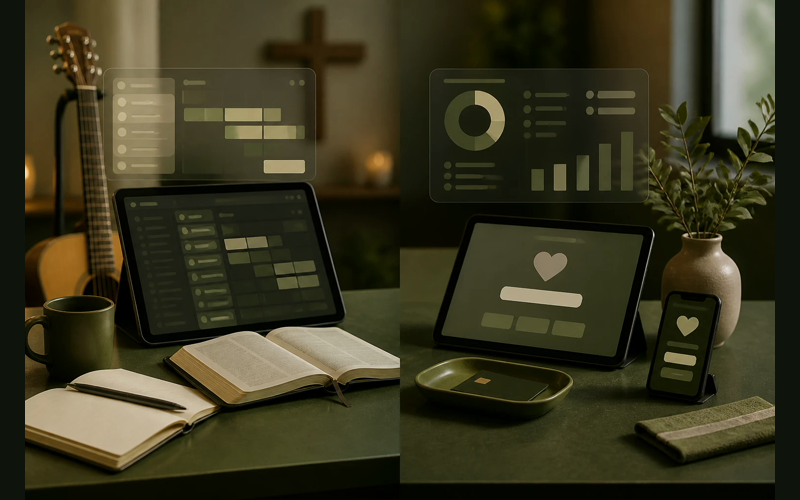
Planning Center and Tithe.ly solve different church problems. Planning Center is strongest when a church needs help organizing people, services, volunteers, and workflows. Tithe.ly is strongest when a church needs a fast path into digital giving and related tools.
That difference matters because the comparison is not really about which platform is better in the abstract. It is about which operational problem your church is trying to solve first.
Two different tools. Two different problems solved. And this is the core of the Planning Center vs Tithe.ly conversation: these platforms are not competing to do the same thing. They overlap in a few areas, but their real strengths sit in different parts of church life. Understanding where each one excels is the fastest way to figure out which one your church actually needs, or whether you need both.
Built for different problems
Planning Center started as a worship planning tool. That origin story matters because it shaped everything about how the platform thinks. The company builds specialized modules, each one designed to handle a specific area of church operations: services, check-ins, groups, registrations, a people database, giving, calendars, and more. You pick the modules you need. You skip the ones you do not. Every module connects back to a shared database of people, so information flows between them without duplicate entry.
Tithe.ly started as a giving platform. That origin story matters just as much. The company was built around one conviction: every church, regardless of size or budget, should be able to receive digital gifts. Their free giving plan is not a trial. It is a permanent option. From that giving foundation, Tithe.ly expanded into church management, websites, apps, media, and streaming. The result is an all-in-one platform where everything is bundled together rather than sold piece by piece.
These are two legitimate approaches to the same question: how should church software be organized? Planning Center says modularity. Tithe.ly says simplicity. Neither answer is wrong. They just serve different operational instincts.
Where planning center pulls ahead
Worship planning and service coordination
This is Planning Center’s signature strength, and it is not particularly close. Their Services module was purpose-built for the weekly rhythm of planning worship gatherings. You can build service plans with song selections, media cues, sermon notes, and item timings. You can schedule team members across multiple services and send automated requests. Volunteers confirm or decline from their phone. Conflicts surface immediately.
The Music Stand app gives musicians access to chord charts and sheet music right on a tablet, synced to the service plan. If your worship leader changes the key of a song on Thursday, every musician sees the update on Sunday morning without anyone sending a group text.
For churches that run even a moderately complex Sunday morning, this level of coordination is difficult to replicate with any other tool. Tithe.ly does not offer anything comparable in worship planning depth. If your Sunday mornings involve multiple teams, rotating volunteers, and detailed service orders, Planning Center handles that complexity with a precision that is hard to overstate.
Modularity and pay-for-what-you-use pricing
Planning Center’s pricing model reflects its modular design. The People database is free for every church. Beyond that, each module has its own pricing tier based on your church size. A small church might pay $14 per month for Services and nothing else. A larger church might run six modules and pay more. But you are never paying for features your church does not use.
This matters for churches in different seasons. A church plant might start with just People and Services. Two years later, they add Check-Ins and Groups. The platform grows with you without forcing you to buy the whole suite on day one.
Here is how the entry-level pricing looks for some of their most popular modules:
| Module | Starting Price | What It Handles |
|——–|—————|—————–|
| People | Free | Membership database, profiles, lists |
| Services | ~$14/month | Worship planning, team scheduling, song library |
| Check-Ins | ~$14/month | Attendance tracking, child safety, volunteer check-in |
| Giving | ~$0/month (processing fees apply) | Online donations, fund management, reporting |
| Groups | ~$14/month | Small groups, signups, communication |
| Registrations | ~$14/month | Event signups, payments, capacity management |
Prices scale up based on the number of people in your database. But for a church of 100 to 200 people, running three or four modules often costs less than $60 per month total.
Depth of volunteer management
Between Services and Check-Ins, Planning Center gives you robust tools for managing the people who make Sunday morning happen. You can set scheduling preferences, block-out dates, and team positions. The system tracks who served when, flags people who have been scheduled too frequently, and makes it easy to find a substitute when someone cancels at 10 PM on Saturday.
Volunteer coordination is one of those invisible operational loads that consumes enormous amounts of a pastor’s week. Planning Center treats it as a first-class problem worth solving well.
Where tithe.ly pulls ahead
Online giving
Giving is the foundation Tithe.ly was built on, and it shows. Their giving tools are polished, intuitive, and accessible at every price point.
The free plan lets you accept online donations through a giving page, a mobile app, and text-to-give. No monthly subscription. You pay only the standard processing fees (2.9% + $0.30 per card transaction, lower for ACH). For a church that has never accepted online gifts before, this removes every barrier except the decision itself. You can be live by this weekend.
Tithe.ly also offers features designed specifically to increase generosity: giving kiosks for the lobby, customizable giving forms that let you create named funds, and a donor experience that is clean enough that first-time givers do not get lost halfway through the process. Their reporting gives you clear visibility into giving trends, recurring gift rates, and fund breakdowns.
Planning Center does offer a Giving module, and it works. But giving is one tool among many in Planning Center’s ecosystem. At Tithe.ly, giving is the tool that everything else was built around. The difference shows up in the details: the number of giving methods supported, the ease of the donor experience, and the depth of giving-specific analytics.
All-in-one simplicity
For churches that want one login, one bill, and one system to learn, Tithe.ly offers something Planning Center intentionally does not: a bundled platform.
Tithe.ly’s paid tiers combine giving, church management (ChMS), a custom church app, a website builder, media storage, and streaming into unified packages. Their All-Access plan puts everything under one subscription. You do not need to evaluate six different modules and their individual pricing tiers. You get the whole toolbox.
This matters most for churches without a dedicated tech person or administrator. When one volunteer is managing the church database, the website, the giving page, and Sunday check-in, having all of those tools come from one provider with one support team and one interface reduces the cognitive load significantly. There are fewer integrations to maintain, fewer passwords to track, and fewer places where data can fall out of sync.
The free entry point
Tithe.ly’s free giving plan deserves its own mention because of what it represents for under-resourced churches. A church planter meeting in a school cafeteria can set up digital giving this week without spending anything beyond the per-transaction processing fee. A small rural church that has never had a website can use Tithe.ly’s tools to start receiving online gifts before they have a technology budget.
Planning Center’s People database is also free, which is genuinely valuable. But the ability to accept donations at no monthly cost is a different kind of value. It directly affects the financial health of the church from day one.
Where they overlap (and how they compare)
Church management
Both platforms offer people databases and basic church management tools. Planning Center’s People module is mature, well-designed, and deeply connected to every other module in their system. Tithe.ly’s ChMS is newer but covers the essentials: contact records, households, groups, and communication.
For churches that need a people database primarily to support worship planning and volunteer scheduling, Planning Center’s integration between People and Services is hard to beat. For churches that need a people database primarily connected to their giving records and church app, Tithe.ly’s integration makes more sense.
Check-in
Both platforms offer check-in tools for children’s ministry and attendance tracking. Planning Center’s Check-Ins module is one of the more established solutions in the church software space, with label printing, security codes, and allergy tracking. Tithe.ly offers check-in functionality within their ChMS that handles the basics well.
If child safety and a detailed check-in process are high priorities for your church, Planning Center has more depth here. If you need simple attendance tracking and your check-in needs are straightforward, Tithe.ly covers it.
Giving
Both platforms process donations. Planning Center’s Giving module handles online giving, fund management, and donor statements. Tithe.ly’s giving tools do the same, plus text-to-give, giving kiosks, and a standalone giving app.
For most churches, the giving experience will feel slightly more polished on Tithe.ly because it is the core of their product. Planning Center’s Giving module is competent and gets the job done, but it does not carry the same level of refinement in the donor-facing experience.
Pricing side by side
Comparing total costs requires knowing what your church actually needs. But here are two scenarios to make the math concrete.
Scenario 1: A church of 150 that needs giving, a people database, and worship planning.
With Planning Center, you would use People (free), Services (~$14/month), and Giving (processing fees only). Total monthly cost: roughly $14 plus processing fees.
With Tithe.ly, you would use the free giving plan for donations and would need a paid plan for church management features. The ChMS-level plan starts around $49/month. Worship planning at the level Planning Center offers is not available. Total monthly cost: around $49 plus processing fees, without a worship planning equivalent.
Scenario 2: A church of 150 that needs giving, a people database, a church app, a website, and basic management tools.
With Planning Center, you would combine People (free), Giving (processing fees), and Church Center app ($0 with other subscriptions). You would still need a separate website solution. Total: varies, but several modules at $14 each adds up, and you still need an external website.
With Tithe.ly, the All-Access plan bundles giving, ChMS, app, website, and media for around $149/month. Everything in one place with one bill.
The right answer depends on which tools your church actually needs and how much operational simplicity matters to your team.
Making the decision
The question is not which platform is better. The question is which problem you are trying to solve first.
If your most pressing operational pain is Sunday morning coordination, if you need to schedule worship teams, plan services, manage volunteers, and keep your weekly rhythm from consuming your entire week, Planning Center was built for that. Its modular approach lets you start with the tools that address your most immediate need and expand from there. The worship planning depth is unmatched.
If your most pressing need is getting digital giving set up without adding a line item to your budget, or if you want one platform that handles giving, your website, your app, and your church database without requiring you to evaluate and integrate multiple tools, Tithe.ly was built for that. The all-in-one approach reduces complexity, and the free giving entry point means you can start today.
Some churches use both. Planning Center for worship planning and volunteer management. Tithe.ly for giving and the church app. The two platforms do not integrate natively, which means some data lives in two places. That is a real tradeoff. But for churches where worship coordination and giving are both critical priorities, splitting the tools can give you the best of each platform’s strengths.
What this comes down to
Every church operates with finite resources: finite money, finite staff hours, finite volunteer energy, finite attention. The software you choose should reduce the load on those resources, not add to it.
Planning Center reduces load through specialization. Each module does one thing with unusual depth. You assemble the combination that fits your church, and each piece works well because it was designed to do exactly that job.
Tithe.ly reduces load through consolidation. One platform, one login, one relationship with one support team. The individual tools may not go as deep in every category, but the simplicity of having everything in one place has its own kind of value.
Both approaches are faithful stewardship of the tools available to us. The right choice is the one that matches how your church actually operates, not the one that won a comparison chart on the internet. Spend thirty minutes with each platform’s free tier. Let your team try them. The answer will become clear faster than any article can make it.


Recent Posts
-
 “Broadcast” was a farming word first, and it changes how you read Matthew 13
 -
 What broadcasting actually looks like in an ordinary week
 -
 The one ChMS report that tells you if people are actually connecting
 -
 Breeze vs ChurchTrac: Which One Fits a Smaller Church Better?
 -
 How to evaluate church management software for your size church