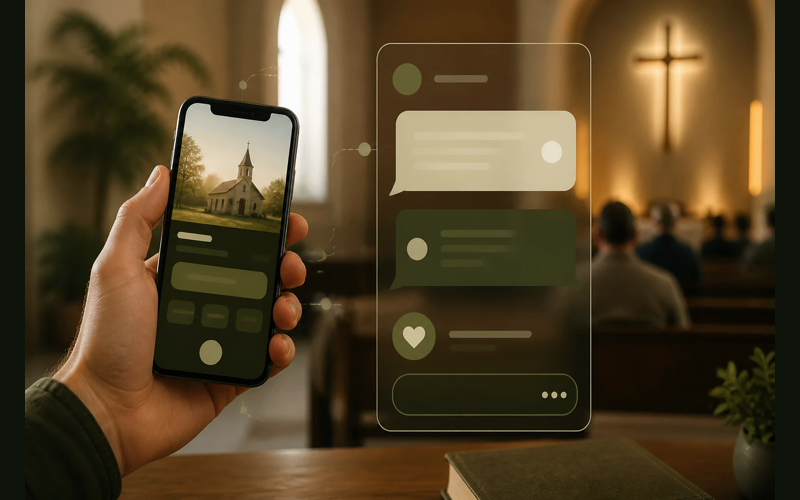
Most of the people sitting in your chairs on Sunday morning have a phone in their pocket. Many of them stopped carrying cash years ago. A few still write checks, but they’ll tell you it’s becoming a habit they forget more often than they remember.
Text-to-give solves a simple problem: it lets someone give in the moment they feel called to give. No app to download, no website to find, no envelope to dig for. They send a text with a dollar amount, and they’re done.
The setup itself takes less than an afternoon. We’ve walked churches through this process enough times to know that the technology is the easy part. The harder part, and the part most guides skip over, is getting your people to actually use it. So we’ll cover both: the technical setup and the adoption strategy that makes it stick.
Pick a platform that fits a smaller church
You need a giving platform that supports text-to-give as a feature. Not every platform does, and among those that do, the pricing models vary enough that it matters which one you choose.
We recommend Tithe.ly for most churches in the 50-to-300 range. The reason is straightforward: there are no monthly fees. You pay per transaction (2.9% + $0.30 per gift), which means you’re not paying for capacity you aren’t using yet. A church processing $3,000 a month in online gifts pays roughly $117 in fees. A church processing $800 pays about $53. You scale with your actual giving, not with a pricing tier someone designed for a church three times your size.
Tithe.ly also bundles text-to-give into the same account you’d use for online giving, a giving app, and giving kiosks if you ever want one. That matters because your givers set up their payment method once and it works across all of those channels. One account, one dashboard, one set of reports.
If you’re already using a different giving platform and it offers text-to-give, you don’t need to switch. Check whether the feature is included in your current plan or costs extra. Some platforms charge an add-on fee for text-to-give that can run $50 to $100 per month regardless of how many people use it. For a smaller church, that fixed cost can be hard to justify in the early months when adoption is still building.
Create your account and set up your giving
Sign up at Tithe.ly and complete the verification process. You’ll need a few things ready before you start:
- Your church’s legal name (as registered with the IRS for 501(c)(3) status)
- Your EIN (Employer Identification Number)
- A bank account and routing number for deposits
- A primary contact with authority to manage the account
The verification process involves confirming your church’s identity and linking your bank account. Tithe.ly uses Stripe for payment processing, so you’ll go through Stripe’s standard identity verification. This typically takes one to two business days, though some churches are approved within hours.
While you wait for verification, you can start configuring your giving options. Set up your funds first. Most churches need at least two: a general fund and a missions or building fund. You can add more, but keep it simple at launch. Every additional option is one more decision for a first-time giver, and decisions create friction.
Name your funds in plain language. “General Fund” works. “Operational Tithe Allocation” does not. Think about what a first-time visitor would understand without any context.
Get your text-to-give number
Once your account is verified, you’ll activate text-to-give in your Tithe.ly dashboard. Tithe.ly assigns your church a dedicated phone number. This is the number your congregation will text to give.
You’ll find the setup under the “Giving” section of your admin dashboard. The system walks you through a short configuration:
The first time someone texts your number, they’ll receive a reply with a link to enter their payment information. After that initial setup, future gifts go through with just a text. That first-time setup takes about 60 seconds on the giver’s end.
Test it before you announce it
This step gets skipped more often than it should. Before you tell a single person about text-to-give, test the full process yourself. Then have two or three other people test it.
Here’s what you’re testing for:
The giver experience. Text your church’s number from your personal phone. Follow the prompts exactly as a first-time giver would. Note anything confusing. How many steps does it take? Does the confirmation tangleage make sense? Does it feel trustworthy, or does it feel like a phishing scam? That last question matters more than you think. People are cautious about entering payment information through a text link, and if the experience feels even slightly off, they won’t complete it.
The backend. After you complete a test gift, log into your dashboard and verify it shows up. Check that it’s assigned to the correct fund. Check that the amount is right. Process a small gift of $1 or $5 so you can confirm the deposit hits your bank account. You want to know exactly how long the deposit takes before someone on your finance team asks you about it. Tithe.ly’s standard deposit schedule is next-business-day for most churches.
The refund process. Refund your test gifts from the dashboard. Make sure you know how to do this before a real situation arises. Someone will accidentally give the wrong amount within the first month. That’s normal. Knowing how to handle it quickly and graciously builds trust.
Do your testing on a Tuesday or Wednesday. Don’t leave it for Saturday night.
Announce it in a way that actually sticks
You’ve set everything up. You’ve tested it. Now comes the part where most churches stumble: the announcement.
The common mistake is to mention text-to-give once during a Sunday morning service, put it on one slide, and assume people will remember. They won’t. New information needs repetition to become familiar, and it needs to feel safe before people will act on it.
Plan to announce text-to-give over a four-week window. Not four weeks of the same announcement. Four weeks of graduated introduction.
Week one: Introduce it from the front. During your normal giving moment, explain that your church now offers text-to-give. Keep it to 45 seconds. Say the number out loud. Show it on the screen. Explain the process in one sentence: “Text any dollar amount to [your number], and you’ll get a link to set up your first gift.” Then do it yourself, live, from the stage. Pull out your phone, text the number, and let people see that it takes about 10 seconds. Watching someone do it removes the uncertainty.
Week two: Normalize it. Mention text-to-give alongside your other giving methods during the offering moment. Don’t make a big deal of it. Just include it naturally: “You can give through the offering plate, online at our website, or by texting [number].” Put the number on the screen again. Brief. Normal. Routine.
Week three: Share a result. If even three or four people used text-to-give in the first two weeks, mention it. “A few of you tried text-to-give last week, and it’s working great.” Social proof matters, especially in a smaller church where people look to each other before trying something new.
Week four: Let it settle. By now, the number should be on your regular giving slide, in your bulletin or program, and ideally on your website’s giving page. Stop making special announcements about it. It’s part of the furniture now.
After this four-week window, include the text-to-give number anywhere you display giving information. Consistency is what drives long-term adoption, not a single compelling announcement.
Train your greeters to mention it
This is the step that separates churches where text-to-give gets used from churches where it collects dust.
In a church of 50 to 200 people, your greeters know most of the people walking through the door. They also spot visitors immediately. That personal connection is a channel most churches never use for giving communication, and it’s more effective than any slide.
You’re not asking greeters to fundraise. You’re asking them to share information. There’s a real difference. When a greeter hands someone a bulletin and says, “By the way, we just set up text-to-give if you ever want to use it. The number’s right here,” that’s a low-pressure, helpful moment. It doesn’t feel like a sales pitch because it isn’t one.
Train your greeters with a simple script they can make their own:
“We just started text-to-give. If you ever want to use it, the number is [number]. You just text a dollar amount and follow the link.”
That’s it. Fifteen seconds. No pressure. The greeter isn’t asking anyone to give. They’re letting people know a new option exists.
Brief your greeters once. Give them a card with the number on it. Ask them to mention it to anyone who seems interested, especially visitors and younger members who might not carry cash. Then let it happen naturally.
Within a month, you’ll start seeing text-to-give show up in your reports. Within three months, you’ll have a group of regular givers who prefer it.
Keep it visible after launch
The churches that see consistent text-to-give adoption do one thing differently: they keep the number visible without making a production out of it.
Put the number on your weekly giving slide and leave it there permanently. Add it to the footer of your church bulletin or weekly email. Include it on your giving page alongside your other giving options. If you have table cards in your lobby or foyer, print new ones with the text-to-give number included.
None of this requires design skills or a budget. A simple line of text is enough: “Text to give: [number].”
What you’re building is ambient awareness. People notice things through repetition, not emphasis. The family that has been attending for three months will eventually see that number enough times to try it. The member who has been meaning to set up recurring giving will finally pull out their phone during the offering because the number is right there on the screen.
The whole process, from creating your account to training your greeters, can happen within a single week. The technology is the smallest part. The culture shift is what takes patience. But every church we’ve seen commit to the four-week announcement rhythm and the greeter mention sees real adoption within 90 days.
You’re not asking your people to change how they think about giving. You’re giving them one more way to act on what they already feel. That’s stewardship of the moment, and it’s worth the afternoon it takes to set up.

Recent Posts
-
 “Broadcast” was a farming word first, and it changes how you read Matthew 13
 -
 What broadcasting actually looks like in an ordinary week
 -
 The one ChMS report that tells you if people are actually connecting
 -
 Breeze vs ChurchTrac: Which One Fits a Smaller Church Better?
 -
 How to evaluate church management software for your size church