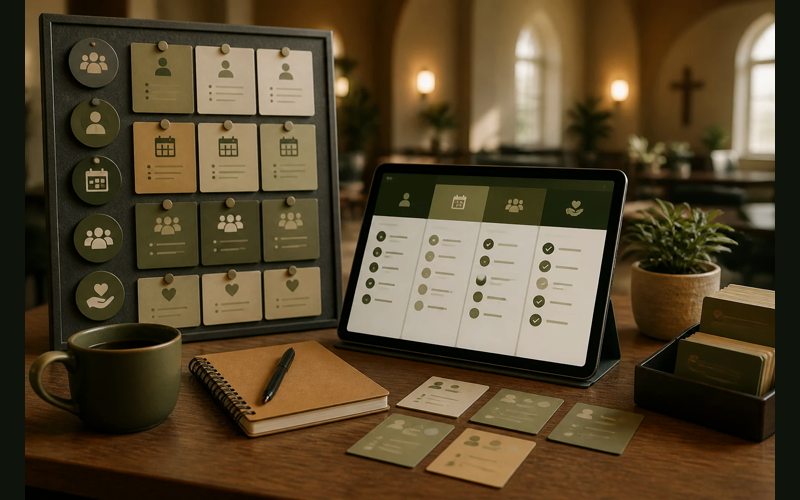
Volunteer scheduling often falls back to text messages and memory when the official system is too slow to use. If creating one schedule takes twenty minutes, a busy coordinator will eventually choose the method that feels fastest, even if it creates more stress by Saturday.
She wasn’t disorganized. She was making a rational decision about her time.
Volunteer management is one of those problems that sounds simple until you try to solve it systematically. You need to know who is available, when they’re available, what they’re willing to do, and who else is already scheduled. You need reminders. You need a way to handle last-minute swaps. And you need all of this to work for people who are donating their time and didn’t sign up for a learning curve.
The good news is that you don’t need expensive software to handle this well. Some of the most effective tools are free. Others cost less per month than a Sunday morning coffee run. The key is matching the right tool to the right problem, because volunteer management isn’t one problem. It’s several.
The scheduling problem
The most visible volunteer challenge is the schedule itself. Who is serving when, and does everyone know about it?
Planning Center is the strongest option here for churches that are already using it for worship services. The Groups and Services apps both handle volunteer scheduling with automated reminders, blockout dates, and the ability for volunteers to accept or decline requests directly from their phone. If you’re already inside the Planning Center ecosystem, adding volunteer scheduling to your workflow is natural. You’re not asking your team to learn a new platform. You’re just using more of the one they know.
The People app is free for smaller churches, and the Services app starts at a low monthly cost that scales with your church size. The scheduling workflow is intuitive enough that most volunteers figure it out after one or two requests without anyone walking them through it.
Where Planning Center gets complicated is when you’re not already using it. Subscribing just for volunteer scheduling means onboarding your team to a new platform, and the modular pricing can add up if you start pulling in additional apps over time. It’s a strong tool, but it’s strongest for churches that are already in the ecosystem.
Breeze takes a different approach. Volunteer scheduling is built into the same platform where you manage your people, your giving, and your events. There’s no separate app to subscribe to. If you’re using Breeze for anything else, volunteer management is already included at the same flat monthly rate.
The scheduling features are simpler than Planning Center’s, but simpler isn’t always a weakness. You can assign volunteers to roles, set up recurring schedules, and send reminders. For a church where the schedule doesn’t change dramatically from week to week, Breeze handles the workflow without overcomplicating it. Your volunteers see their assignments, get reminders, and can confirm their availability. That covers what most churches under 200 people actually need.
The communication problem
Scheduling is only half the battle. The other half is making sure people know when they’re serving, can respond when plans change, and don’t fall through the cracks between Sundays.
SignUpGenius solves this problem with almost no overhead. The free tier lets you create sign-up sheets that volunteers can access from any device. You set the slots, people claim them, and everyone sees what’s filled and what’s open. It sends automatic reminders before each event.
SignUpGenius isn’t built for churches specifically. It was designed for school events, potlucks, and community organizing. That turns out to be an advantage. The interface is familiar to almost everyone. Your volunteers have probably already used it to sign up for a bake sale or a PTA meeting. There’s no learning curve because they’ve already cleared it somewhere else in their life.
The free plan has limitations. You’ll see ads on the sign-up pages, customization is minimal, and reporting is basic. The paid plans (starting around $11.99/month) remove ads and add features like custom themes, additional reminders, and calendar integration. But for straightforward volunteer sign-ups where you just need people to claim slots and show up, the free version works.
The limitation worth acknowledging: SignUpGenius doesn’t connect to your church database. The information your volunteers enter lives in SignUpGenius, not in your ChMS. If you want a unified record of who is serving and when, you’ll need to track that separately. For some churches that’s a dealbreaker. For others, it’s a perfectly acceptable trade-off in exchange for a tool that people actually use.
The people-tracking problem
Knowing who is available to volunteer is a different challenge than scheduling the ones who already said yes. If you want to know which members have expressed interest in serving, what skills or preferences they have, and how often they’ve been active, you need something that tracks people over time.
ChurchTrac offers volunteer tracking as part of its broader church management platform, and the free tier is available for churches with 75 or fewer active records. That makes it one of the very few options where a small church can manage both their membership database and their volunteer roster at zero cost.
The volunteer features in ChurchTrac let you tag members by ministry area, track service history, and run reports on participation patterns. If you notice that the same twelve people are filling every slot while sixty others sit on the sidelines, ChurchTrac gives you the data to have that conversation with specifics rather than hunches.
The paid plans unlock more depth, including attendance tracking and small group management that can tie into your volunteer coordination. The interface is straightforward. It doesn’t try to be elegant. It tries to be functional, and for the churches it serves, that’s the right priority.
Where ChurchTrac falls short for volunteer management specifically is in real-time scheduling and communication. It’s stronger as a database and reporting tool than as a scheduling tool. You’ll likely pair it with something else for the week-to-week logistics of getting the right people in the right rooms on Sunday morning.
The last-minute swap problem
Every volunteer coordinator knows this moment. It’s Saturday afternoon and someone texts to say they can’t make it tomorrow. Now you need a replacement, and you need one fast.
Google Sheets is surprisingly effective at solving this specific problem, and it costs nothing.
A shared Google Sheet with your volunteer roster, organized by role and date, gives your entire team visibility into the schedule in real time. When someone drops out, you update one cell. Everyone with access sees the gap immediately. You can use conditional formatting to highlight empty slots. You can add a column for “backup” names. You can share the sheet with team leads so they can fill gaps in their own ministry areas without routing everything through one coordinator.
This isn’t a sophisticated solution. It’s a spreadsheet. But that’s precisely why it works. Every volunteer in your church already knows how to read a spreadsheet. They don’t need to download an app. They don’t need to create an account. They open a link and see the information.
The risk with Google Sheets is the same risk with any manual system: it only works if someone maintains it. When the person who built the spreadsheet steps away from the role, the next coordinator inherits a document they didn’t design and may not fully understand. There’s no automated reminders, no self-service scheduling, no recurring event logic. You’re trading features for accessibility, and for some teams, that’s exactly the right trade.
A practical tip: keep the sheet simple. One tab per ministry area. Dates across the top. Names down the side. Color-code confirmed versus unconfirmed. Resist the temptation to build a twelve-tab spreadsheet with formulas and pivot tables. The moment your Google Sheet requires documentation to understand, you’ve lost the simplicity that made it useful.
The onboarding problem
Getting a new volunteer from “I’m interested” to “I’m serving this Sunday” involves steps that often live in someone’s head rather than in any system. Who welcomed them? Who followed up? Did they complete a background check? Have they been trained?
Trello is the surprise pick on this list. It’s a project management tool, not a church tool. But its visual, card-based interface is remarkably well-suited to tracking volunteer onboarding pipelines.
Set up a Trello board with columns for each stage: Interested, Application Submitted, Background Check in Progress, Training Scheduled, Active, and Inactive. Each volunteer gets a card. As they move through the process, you drag their card from one column to the next. Attach documents. Add due dates. Assign the card to the staff member or team lead responsible for that stage.
The free plan gives you unlimited cards, up to ten boards, and basic automation. That’s more than enough for most churches to manage their volunteer pipeline. If you have a children’s ministry coordinator, a worship team leader, and a greeting team captain, each one can have their own board tracking their own volunteers through their own process.
What makes Trello effective here is that it makes invisible work visible. When volunteer onboarding lives in someone’s email inbox or in a stack of papers on a desk, nobody else can see where things stand. When it lives on a shared board, every stakeholder can see at a glance how many people are in the pipeline, where the bottlenecks are, and who needs follow-up.
Trello won’t remind your volunteer when they’re scheduled to serve. It won’t send automated emails to your congregation. It solves one specific problem, the gap between “I want to help” and “I’m helping,” and it solves it well.
The reporting problem
At some point, someone is going to ask you a question you can’t answer from memory. How many active volunteers do we have? What percentage of our congregation is serving? Which ministry areas are understaffed? How many new volunteers have we onboarded this year?
If your volunteer data lives in text messages and memory, those questions don’t have answers. If your data lives in a tool that tracks it, they do.
Most of the platforms already mentioned offer some level of reporting. ChurchTrac and Breeze both provide participation reports that can show you trends over time. Planning Center’s reporting is solid within each app, though pulling cross-app reports can require some effort.
But if you’re using a mix of free tools and spreadsheets, the reporting question is worth thinking about separately. A quarterly review of your volunteer roster, even if it’s just a manual count and a few observations documented in a simple file, gives you more clarity than most churches have. You don’t need a dashboard. You need the discipline to look at the numbers regularly and ask what they’re telling you.
Choosing based on your actual problem
The temptation with volunteer management tools is to look for one platform that handles everything. Scheduling, communication, people tracking, onboarding, and reporting all in one place. That platform exists, but it usually costs more than a small church can justify, and the complexity often means parts of it go unused.
A more practical approach is to identify which of these problems is causing the most friction right now and solve that one first.
If your main problem is that nobody knows when they’re serving, start with the scheduling question. Planning Center or Breeze will handle it well, and if you’re already paying for one of those platforms, the volunteer features are likely sitting there waiting for you to turn them on.
If your main problem is that you can’t fill slots, SignUpGenius removes every barrier to sign-up and lets people claim roles on their own time.
If your main problem is that you don’t know who your volunteers are or how often they’re serving, ChurchTrac gives you a database at no cost for small churches.
If your main problem is that interested people never make it from “I want to help” to actually serving, Trello makes that pipeline visible so nothing gets lost.
If your main problem is last-minute chaos, a shared Google Sheet gives everyone the same real-time view of what’s covered and what isn’t.
None of these tools is perfect. All of them are better than relying on one person’s memory and a group text thread. The volunteer coordinator from that church of 90 people didn’t need a better platform. She needed a tool that respected her time and matched her actual workflow. That’s what we’re all looking for.
Start with the problem that keeps you up on Saturday night. Solve that one. Then decide if you need to solve the next one.


Recent Posts
-
 “Broadcast” was a farming word first, and it changes how you read Matthew 13
 -
 What broadcasting actually looks like in an ordinary week
 -
 The one ChMS report that tells you if people are actually connecting
 -
 Breeze vs ChurchTrac: Which One Fits a Smaller Church Better?
 -
 How to evaluate church management software for your size church