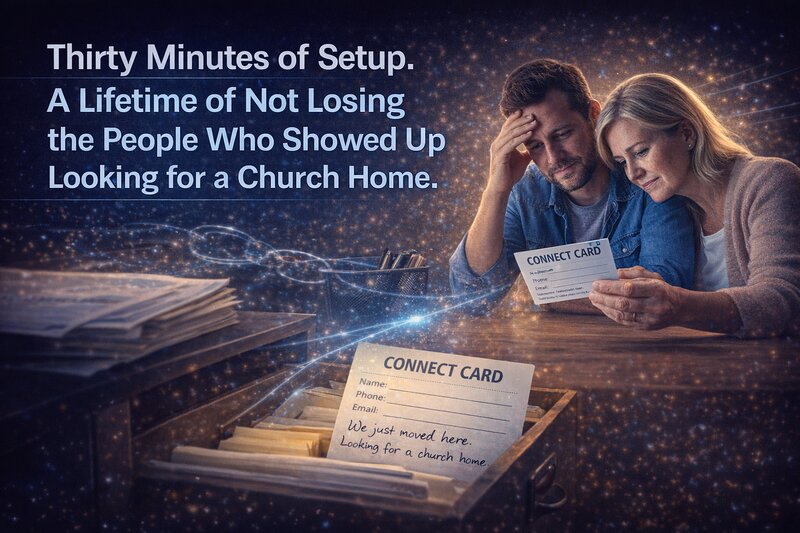
A couple visited your church six weeks ago. They filled out a connect card, dropped it in the basket, and sat through the whole service. The wife wrote a note at the bottom: “We just moved here. Looking for a church home.”
Nobody called them. Nobody emailed. The card sat on someone’s desk for a week, got buried under a stack of bulletins, and eventually made its way into a drawer. By the time anyone thought about it, the couple had already visited two other churches and settled somewhere else.
This isn’t a story about a careless church. It’s a story about a Tuesday afternoon when the pastor was visiting a member in the hospital, the office volunteer had her grandkids, and the one person who usually handles follow-up was out sick. No one dropped the ball on purpose. The ball just didn’t have anywhere to go.
Most churches that use a church management system already have the tool that prevents this. They’re paying for it right now. They’ve just never turned it on.
The feature sitting dormant in your account
Every major ChMS platform includes some version of automated follow-up workflows. Breeze calls them “Follow Up Progressions” and “Automated Tasks.” Planning Center builds them into its People module as “Workflows” paired with “Automations.” ChurchTrac labels them simply “Automations,” with triggers and actions you configure yourself. Tithe.ly uses “People Flows,” a structured sequence of steps tied to tags and smart groups.
The names differ. The concept is the same.
You define a trigger: someone fills out a guest card, gets tagged as a first-time visitor, joins a volunteer team, or misses three consecutive Sundays. The system then runs a sequence of actions automatically. It might send a welcome email within 24 hours. It might create a task reminding the pastor to make a phone call on Tuesday. It might notify a small group leader that someone in their group hasn’t been around in a while.
None of this requires a large staff. None of it requires technical expertise. And none of it replaces the personal, relational work of ministry. It just makes sure that work actually gets prompted when it matters, not three weeks later when someone stumbles across a sticky note.
Why most churches never configure it
The easy explanation would be laziness, but that’s not what’s happening. Most pastors and church admins we talk to fall into one of three patterns.
The first is simple unawareness. They signed up for a ChMS to keep track of member information and maybe run attendance reports. They never explored the automation features because they didn’t know those features existed. The onboarding process covered how to add people and record giving. Nobody walked them through the workflow builder, and the help articles on automations sit buried five clicks deep in a support site.
The second is the “that’s for bigger churches” assumption. When you see the word “automation” or “workflow,” it sounds like enterprise software language. It sounds like something a church with three full-time admin staff would use. A solo pastor running a church of 80 people reads “automated workflow” and reasonably assumes it wasn’t built for them. That assumption is wrong, but it’s understandable.
The third is the half-started attempt. Someone on the team opened the workflow builder once, got partway through setting it up, couldn’t figure out one of the settings, and closed the tab. Ministry moved on. The feature sat there, partially configured, doing nothing.
All three of these are reasonable. None of them are permanent.
What changes when you actually turn it on
Things stop falling through the cracks.
A guest fills out a card on Sunday. By Monday morning, they’ve received a short, warm email thanking them for visiting. On Wednesday, a task appears in the pastor’s queue: call this person. If the pastor marks that task complete, a second task gets created two weeks later: check in again. If the person visits a second time, the system moves them into a different follow-up sequence oriented toward connection rather than first contact.
Nobody had to remember any of this. Nobody had to set a phone reminder or write it on a whiteboard. The system carried the operational memory so the people doing ministry could focus on the relational parts.
This matters more for smaller churches, not less. A church with a full-time connections director has a person whose entire job is tracking this. A church where the pastor is also the admin, the counselor, the Wednesday night teacher, and the one who fixes the copier does not have that person. The automated workflow becomes the connections director you can’t afford to hire.
Three workflows worth setting up this week
You don’t need to automate everything on day one. Start with three, and build from there as you see what works.
The first-time guest sequence. When someone is tagged as a new visitor in your system, trigger a welcome email that goes out within 24 hours. Keep it short and genuine. Then create a follow-up task assigned to whoever makes personal contact at your church, set to appear two or three days after the visit. In Breeze, you’d build this as a Follow Up Progression where completing one step triggers the next. In Planning Center, you’d set up a Workflow with automated steps tied to a form submission. ChurchTrac lets you create a trigger-based automation that fires when a first-time attendance tag is applied. Tithe.ly would use a People Flow tied to a “First-Time Guest” tag. The setup takes about 30 minutes on any of these platforms.
The missing member nudge. Most ChMS platforms can identify when a regular attender hasn’t checked in for a set number of weeks. Configure a workflow that, after three missed weeks, creates a task for a pastor or care team member to reach out. The point is good stewardship of the people God has placed in your care. People disappear from church for all kinds of reasons, some of them painful, and a simple phone call during a hard season can mean more than we realize.
The new volunteer onboarding path. When someone signs up to serve, trigger a sequence: a thank-you email, a task for the ministry leader to schedule a brief orientation, and a check-in task 30 days later to see how the experience is going. Volunteer retention in most churches suffers not because people don’t want to serve, but because they feel forgotten after they raise their hand. A three-step workflow fixes that.
The 30-minute investment
Setting up your first workflow will probably take longer than 30 minutes because you’ll spend some of that time learning where things are in the interface. The second one will take 15 minutes. By the third, you’ll wonder why you didn’t do this a year ago.
A guest follow-up workflow can usually be set up in one evening once the church decides what the first welcome message should say. The value is simple: the system prompts the next step before the moment passes, so visitor care depends less on memory.
If you get stuck, every platform mentioned here has support documentation specifically for automation setup. Breeze’s support center walks through Follow Up Progressions step by step, including recommended automations that other churches use. Planning Center’s blog has detailed posts on connecting automations to workflows. ChurchTrac has a dedicated automations page showing what triggers and actions are available. You don’t need to figure this out from scratch.
And you don’t need to do it alone. If you have a volunteer who’s comfortable with software, hand them a login and a list of the three workflows above. Most of the people in our churches who work with any kind of business software during the week will find a ChMS workflow builder straightforward. This is a great place to invite someone to use their professional skills for the church without asking them to teach a Sunday school class.
The people who walk through your doors deserve a system that remembers them
We can hold a lot in our heads. We can juggle pastoral care and sermon prep and facility issues and volunteer coordination and giving reports and the family in crisis and the couple asking about baptism and the teenager who’s been acting different lately. We can hold all of that, until we can’t. And when something slips, it’s almost always the follow-up. The guest card. The new volunteer. The person who quietly stopped showing up.
Automated workflows don’t replace the relational heart of ministry. They protect it. They make sure that when God sends someone through your doors, your church responds, even on the weeks when everything else is competing for your attention.
You’re already paying for this feature. The people in your community are already worth the 30 minutes it takes to set it up.
Thirty minutes of setup. A lifetime of not losing the people who showed up looking for a church home. That’s stewardship.


Recent Posts
-
 “Broadcast” was a farming word first, and it changes how you read Matthew 13
 -
 What broadcasting actually looks like in an ordinary week
 -
 The one ChMS report that tells you if people are actually connecting
 -
 Breeze vs ChurchTrac: Which One Fits a Smaller Church Better?
 -
 How to evaluate church management software for your size church