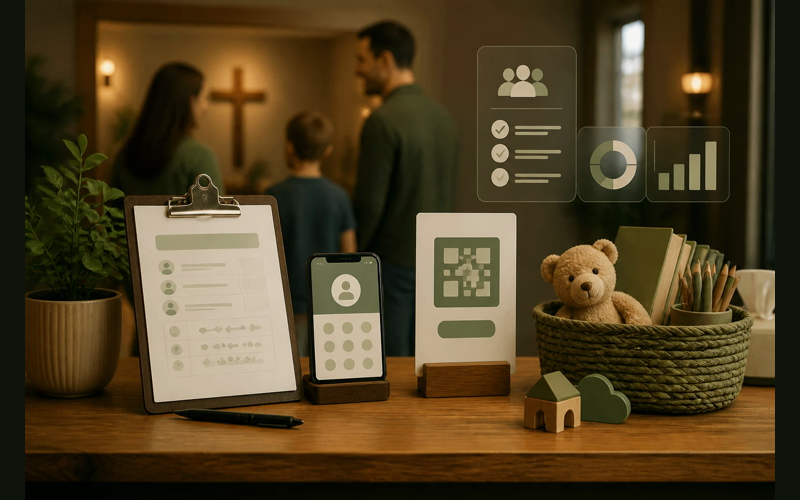
Small churches often care deeply about child safety and attendance tracking while still needing to avoid expensive kiosk setups. A $2,000 lobby station may be hard to justify when facility repairs, youth ministry, and basic operating needs are already competing for attention.
So he asked a retired schoolteacher in the congregation to sit at a card table near the children’s wing every Sunday with a clipboard, a pen, and a roll of adhesive name tags from the office supply store. She wrote each child’s name on a tag, stuck it on their shirt, recorded the parent’s phone number, and handed the parent a matching card with a pickup number written in marker. The whole process took about forty-five seconds per family.
That was four years ago. The system still works. The church has grown from fifty to just over a hundred, and Mrs. Patterson still sits at that table. She knows every child by name now and doesn’t even look at her clipboard for most of them. The clipboard is the backup. She is the system.
This church is not an outlier. Across the country, small and mid-size congregations are solving the check-in problem without dedicated kiosks, without expensive hardware, and without monthly subscription fees that strain an already tight operating budget. They’re doing it with a mix of creativity, volunteer commitment, and inexpensive technology that gets the job done.
What follows isn’t a prescription. It’s a set of observations from churches that found approaches that work for them, given what they had to work with.
The tablet station
The most common alternative to a dedicated kiosk is a consumer tablet mounted on a simple stand. An iPad, a Samsung Galaxy Tab, or even an older Android tablet running a check-in app achieves roughly 90% of what a purpose-built kiosk does, at roughly 10% of the cost.
One lower-cost option is a tablet station built from refurbished hardware, an inexpensive stand, and a thermal label printer. If the church already uses Planning Center or another ChMS with check-in included, the software cost may already be covered.
Parents walk up, tap the screen, select their children from a list, and labels print with each child’s name, room assignment, allergy information, and a security code that matches a parent tag. The entire interaction takes about fifteen seconds.
The difference between this setup and a $2,000 commercial kiosk comes down to three things: the tablet doesn’t have a built-in printer housing, the enclosure isn’t ruggedized for high-traffic environments, and the software isn’t bundled with the hardware. For a church running 80 to 150 on a Sunday morning, none of those differences meaningfully affect the check-in experience.
One practical note from churches running this setup: put the tablet in a case with a built-in screen protector. Kids touch these screens. Adults touch them with coffee-wet fingers. A $30 Otterbox case extends the life of a $150 refurbished tablet by years. Several churches also attach the stand to the table with a small C-clamp or a strip of heavy-duty velcro to prevent it from being knocked over during the Sunday morning rush.
The tablet station works particularly well for churches that meet in a permanent building. The equipment stays in place, volunteers learn the workflow, and parents develop the habit of self-check-in within a few weeks.
Paper sign-in with digital backup
Not every church is ready for, or interested in, a fully digital check-in process. Some congregations include members who are uncomfortable with tablets and touchscreens. Some meet in locations where reliable WiFi isn’t available. Some simply prefer the personal interaction that comes with a face-to-face sign-in.
For these churches, a paper sign-in sheet paired with a digital backup has become a surprisingly effective middle ground.
A church plant in western North Carolina meets in a rented community center on Sunday mornings. They run about sixty-five people, including roughly twenty children. Their check-in process works like this: a volunteer sits at a table near the entrance to the kids’ area with a printed sign-in sheet on a clipboard. The sheet has columns for the child’s name, parent’s name, parent’s phone number, allergies, and a pickup code. The volunteer fills in the sheet, writes the child’s name on an adhesive tag, and hands the parent a matching card.
After the service, another volunteer spends about ten minutes entering that morning’s sign-in data into a Google Sheet. Over time, that spreadsheet has become a useful database. The church can see attendance trends, identify families who have stopped coming, track which children have allergies, and pull contact information when they need to reach a parent during the week.
The cost of this system is negligible. A ream of paper, a box of adhesive name tags, a set of index cards for the parent pickup numbers, and a free Google account. Total investment: under $20.
What makes this approach work isn’t the technology. It’s the intentionality. The church decided that tracking attendance and maintaining child safety records mattered, and they built a system to do it with what they had. The paper-and-spreadsheet combination is not as fast as a tablet kiosk, and it requires a few minutes of data entry after the service. But it produces the same core outcome: a record of who was in the building, who they belong to, and how to reach their parents.
A caution worth mentioning: paper sign-in sheets sitting on an open table can expose personal information (phone numbers, allergy details) to anyone walking by. Several churches address this by having the volunteer fill in the sheet behind the table rather than handing the clipboard to parents, or by using individual sign-in cards instead of a shared sheet.
Volunteer greeters with phones
Some of the most effective check-in systems we’ve observed don’t look like check-in systems at all. They look like a friendly person standing near the door with a phone in their hand.
Another option is to use check-in greeters instead of fixed kiosks. A volunteer with the church’s check-in app can welcome a family, complete the check-in on a phone, and send labels to a small printer near the children’s area.
The experience for the family feels nothing like a check-in process. It feels like someone was genuinely glad to see them. The data capture happens in the background, during a natural interaction. For first-time visitors especially, this approach eliminates the awkwardness of walking up to a screen and trying to figure out an unfamiliar system.
This model requires more volunteer investment than a self-service tablet. Someone has to be there, know the app, and be good with people. But for churches that already prioritize greeting ministry, the check-in function layers on top of something that was already happening. The greeter was already going to say hello. Now they also tap a screen a few times while they do it.
The advantage is that check-in becomes relational instead of mechanical. One volunteer can welcome new families and walk them toward the classroom while another handles regular families quickly from a phone.
One consideration with this model: the church’s check-in app needs to support multiple simultaneous users on different devices. Most modern check-in platforms do, including Planning Center, Breeze, and Church Community Builder. But it’s worth confirming before you train volunteers and discover the system locks out the second device.
Qr code check-in
QR codes had a cultural moment during the pandemic, and churches were paying attention. Several congregations we’ve observed have adapted the QR code pattern for children’s check-in with minimal technology investment.
The simplest version works like this: the church generates a unique QR code for each registered family. Parents receive their code by email or text, save it to their phone, and scan it at a station near the kids’ area on Sunday morning. The scan triggers the check-in app, which identifies the family, displays their children, and prompts the parent to confirm which kids are present. Labels print. The whole interaction takes about ten seconds and requires no volunteer assistance.
QR check-in can also work with a low-cost tablet, a thermal printer, and a platform that supports scanning. Some families may prefer a laminated card that fits in a wallet or on a keychain because it keeps the process simple when parents are carrying bags or helping small children.
The QR approach has two significant advantages for small churches. First, it requires almost no volunteer labor at the check-in station itself. A single volunteer can monitor the station, help visitors, and troubleshoot printer issues while regular families check themselves in with a quick scan. Second, it moves fast. A backed-up line on Sunday morning creates stress for parents, frustration for volunteers, and a bottleneck that makes the entire arrival experience feel chaotic. QR scanning eliminates most of that friction.
For first-time visitors, the QR system needs a fallback. Visitors won’t have a code yet, so the station still needs a manual entry option or a volunteer who can register new families on the spot. Most churches running QR check-in keep one volunteer near the station specifically for this purpose. After a family’s first visit, they receive their code and the process is self-service from that point forward.
Combining approaches
The churches we’ve seen handle check-in most effectively don’t pick one approach and commit to it exclusively. They combine methods based on their specific situation.
A hybrid setup can be the most practical choice. One tablet can handle self-service check-in, one volunteer with a phone can help during the busy window, and a paper backup clipboard can cover Wi-Fi problems.
Portable churches can keep the entire check-in process mobile. Two phones, a battery-powered thermal printer, a folding table, and one plastic bin may be enough for a system that sets up quickly and packs away after service.
Neither of these churches spent more than $300 on their check-in infrastructure. Both track attendance, maintain security records, print labels, and provide a smooth experience for families on Sunday morning.
What actually matters
Dedicated check-in kiosks are good products. They’re built well, they look professional, and they do exactly what they’re designed to do. Churches that can afford them and want them should buy them without hesitation.
But the core function of a check-in system is not the hardware. It’s the answer to a simple set of questions: Who is in this building? Which child belongs to which adult? How do we reach a parent if something goes wrong? And do we have a record of who was here?
A $3,000 kiosk answers those questions. A $150 tablet answers those questions. A volunteer with a phone answers those questions. A retired schoolteacher with a clipboard answers those questions.
The churches in this piece didn’t arrive at their solutions because they studied the check-in market and made strategic purchasing decisions. They arrived at their solutions because they cared about child safety and attendance tracking, looked at what they had available, and built something that worked. Some of them will eventually upgrade to dedicated kiosks as their budget allows. Some of them will keep running their current systems for years because the systems work and the money is needed elsewhere.
Both paths are responsible. Both paths are faithful stewardship of whatever resources a church has been given.
The question for your church isn’t whether you can afford a kiosk. The question is whether you have a system that accounts for every child in your building on a Sunday morning. If you don’t, you can build one this week with a tablet, a phone, a clipboard, or some combination of the three.
The tools are already within reach. They probably always were.


Recent Posts
-
 “Broadcast” was a farming word first, and it changes how you read Matthew 13
 -
 What broadcasting actually looks like in an ordinary week
 -
 The one ChMS report that tells you if people are actually connecting
 -
 Breeze vs ChurchTrac: Which One Fits a Smaller Church Better?
 -
 How to evaluate church management software for your size church