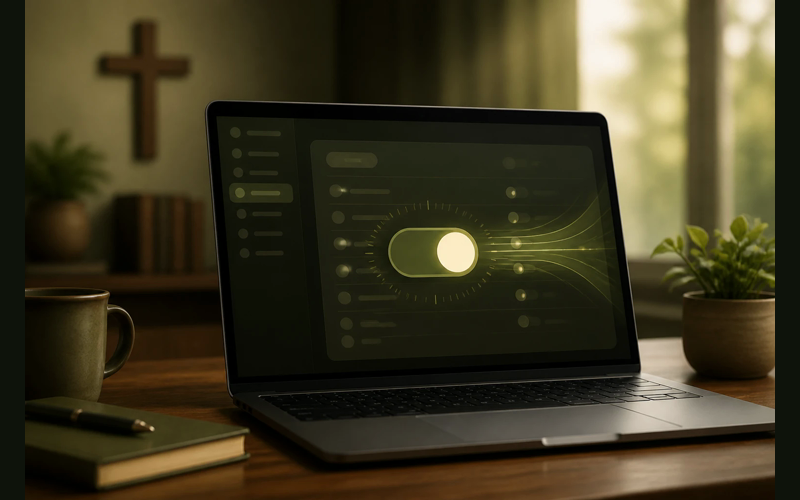
Many pastors use Monday morning to turn attendance data into a follow-up list. They open the church management system, check who was missing, compare several weeks of attendance, and decide who needs a call or email.
That work can consume the best part of a morning every week.
The intent is faithful shepherding. The problem is that most church management systems can handle much of that sorting automatically if the right absence alerts or workflows are turned on.
The setting most churches never touch
Most church management systems ship with automated follow-up workflows either turned off entirely or set to a generic default that does almost nothing useful. The feature goes by different names depending on the platform. In Planning Center, it’s called “Automated Emails” within the People module. In Breeze, it’s under “Follow Ups.” In Church Windows, it lives in “Automated Communications.” Pushpay’s ChMS (formerly Church Community Builder) calls them “Process Queues.” Tithe.ly ChMS labels them “Automations.”
The name varies. The concept is the same: a rule that tells your system to do something specific when a certain condition is met.
The condition we care about is attendance-based absence. Specifically, we want the system to notice when someone who normally attends has not checked in for a defined number of consecutive weeks, and then to take an action without anyone on your team having to remember, look it up, or type anything.
Most churches leave this turned off. Not because they decided against it. Because they never knew it was there, or they saw it during initial setup, felt overwhelmed by the configuration options, and moved on to something more urgent. That’s understandable. There are a hundred things competing for your attention during a software rollout. But this one setting, once configured, will hand you back hours every single week. And it will do something even more important: it will make sure no one slips through the cracks during the weeks when you’re too busy, too tired, or too stretched to catch them manually.
What the default looks like (and why it fails)
When automated follow-up is left at its factory setting, one of two things is true. Either the feature is completely off, meaning your system collects attendance data but never acts on it. Or the feature is on, but configured so broadly that it generates noise instead of signal.
The wrong alert threshold creates noise. If the system flags everyone who misses one Sunday, the follow-up list fills with people who are traveling, sick, visiting family, or attending a different service time. A noisy alert becomes another dashboard pastors learn to ignore.
That’s the wrong lesson from the right frustration. The feature wasn’t broken. The threshold was.
One missed Sunday is not a signal. Two missed Sundays is a data point. Three consecutive missed Sundays, for someone who had been attending regularly, is a pattern worth responding to.
The difference between a useless automated alert and a genuinely helpful one comes down to how you define “regular attender” and how many consecutive absences trigger the response. Get those two parameters right, and the system becomes a quiet, tireless partner in pastoral care. Get them wrong, and it becomes another notification you learn to ignore.
How to configure this correctly
The exact steps depend on your platform, but the logic is the same across all of them. You need three components: a definition of who counts as a regular attender, a threshold for how many consecutive absences trigger the workflow, and an action that happens when the threshold is met.
Defining a regular attender. Most systems let you create a “smart list” or “saved search” based on attendance frequency. Set this to anyone who has checked in at least three out of the last six weeks. That gives you enough consistency to distinguish between regular attenders and occasional visitors without being so strict that you miss people who attend two or three times a month. If your church only tracks Sunday morning attendance, use Sunday morning. If you also track small groups or midweek services, include those. The goal is to capture the people whose absence would actually mean something.
Setting the absence threshold. Three consecutive missed check-ins is the sweet spot for most churches. One week is too soon. Two weeks catches some real situations but also catches a lot of vacations and illnesses. Three consecutive weeks with no check-in, for someone who was previously attending regularly, is a meaningful signal that something may have changed in that person’s life or their connection to your church.
Choosing the action. This is where the real time savings happen. You have a few options, and you can layer them.
The simplest action is an automated email to the absent person. Not a mass email. Not a newsletter blast. A plain-text, personal-sounding email from the pastor or a care team leader. Something like: “Hey [first name], we’ve missed seeing you the last few weeks. No pressure at all, just wanted you to know you’re noticed and you matter to us. If there’s anything going on that we can help with, please don’t hesitate to reach out.” Most platforms support merge fields for the person’s first name and the sender’s name, so the email feels personal even though it’s automated.
The second action, which can run alongside the first, is an internal notification to your care team. This is a task assignment or an email to a specific person (a deacon, a small group leader, a follow-up volunteer) letting them know that a specific person has crossed the three-week threshold. The care team member can then decide whether a phone call, a text, or a visit is appropriate based on what they know about the person’s situation.
The third option, if your system supports it, is a workflow that moves the person into a specific care list or follow-up queue that gets reviewed weekly. This is useful for churches where the pastor doesn’t handle all follow-up personally. The queue becomes the agenda for a Monday morning check-in with your care team, and it’s populated automatically instead of manually.
What this looks like in practice
A better setup might flag people after three consecutive missed Sundays and send a small number of useful notifications. Each alert should include the person’s name, contact information, and how long it has been since their last check-in.
Some alerts will have simple explanations. Others may reveal a family health situation, a work schedule change, or a quiet drift that needs pastoral attention. The system does not provide the care. It helps you notice who may need it.
A small number of useful notifications is better than a wall of noise. The goal is focused pastoral care instead of hours of data entry.
That’s the return on 30 minutes of configuration.
The deeper reason this matters
Time savings are real, and they matter. Pastors in smaller churches are already stretched thin. Any hour you can recover is an hour you can give to sermon preparation, to a hospital visit, to your own family, to rest.
But the time is not the most important thing this setting protects.
What it protects is consistency. A human being doing manual follow-up will always be inconsistent. Not because of a lack of caring, but because of the nature of being human. You get sick for a week, and nobody checks attendance. A board meeting runs long on Monday night, and Tuesday’s follow-up calls don’t happen. December arrives with its avalanche of services and events, and the regular rhythm of checking on absent members gets buried under logistics.
During those exact seasons, when you are least able to do manual follow-up, is precisely when people are most likely to drift. The holidays are when loneliness peaks. The busy seasons are when people feel least noticed. The weeks you can’t check the attendance report are the weeks someone needed you to.
An automated system doesn’t get tired. It doesn’t forget. It doesn’t have a bad week. It runs the same check, at the same threshold, with the same response, every single week. And it does it in the background while you do the things that only a human pastor can do.
This isn’t about replacing pastoral care with technology. Pastoral care still requires a real person making a real phone call, sitting across from someone with a real cup of coffee, showing up at a real hospital room. What changes is how you find out who needs that care. The discovery process, the part that has been eating your Monday mornings, is what the machine handles. The response is still yours.
Common objections (and why they don’t hold)
Some pastors worry that automated emails feel impersonal. This concern makes sense on the surface. But consider what the alternative looks like from the absent person’s perspective. In most churches, the alternative isn’t a handwritten note or a personal phone call within the first three weeks. The alternative is silence. Weeks of silence, followed eventually by either a belated check-in or nothing at all. A well-written automated email that arrives on week three is more personal than silence on week six.
Others worry about over-contacting people who are simply on vacation. This is a threshold problem, not a feature problem. If your system is flagging people after one missed week, yes, you’ll annoy some vacationers. At the three-week threshold, almost no one trips the alert because of a routine vacation. And even if someone does, a kind email that says “we missed you” is never offensive. Nobody has ever been upset that their church noticed they were gone.
A third concern is that setting this up requires technical skill they don’t have. This is where we consistently underestimate how far church management software has come. Most modern ChMS platforms have built these workflows with non-technical users in mind. If you can set up a recurring calendar event on your phone, you can configure an attendance-based follow-up rule. The interfaces are visual, the options are labeled clearly, and most platforms offer step-by-step guides specific to this exact use case. If you get stuck, their support teams have walked hundreds of churches through this same setup.
What to do this week
Block 30 minutes on your calendar. Open your ChMS. Find the automation or follow-up settings. Set up one rule: when a regular attender (three of the last six weeks) misses three consecutive weeks, send them a pre-written email and notify your care team lead.
Write the email now. Keep it short. Keep it warm. Keep it free of guilt. Something that communicates: we see you, we value you, and there’s no pressure. Save the automation and let it run.
Then close the software and go do something else with the two hours you just got back every Monday.
Next month, review the results. Look at how many people the system flagged. Look at how many of those flags led to a meaningful conversation. Adjust the threshold if you need to (some churches with smaller attendance find that two consecutive absences is a better trigger). Refine the email language based on how people respond.
This is not a one-time fix. It’s a system that improves as you pay attention to it. But the first version, the one you set up this week in 30 minutes, will already be better than what you’re doing now. Not because what you’re doing now is wrong. Because what you’re doing now depends entirely on you remembering to do it, and you have too many things to remember already.
Your people deserve to be noticed when they’re gone. Your ChMS already knows when they’re gone. The only thing missing is the bridge between those two facts. That bridge is one setting. And it takes 30 minutes to build.


Recent Posts
-
 “Broadcast” was a farming word first, and it changes how you read Matthew 13
 -
 What broadcasting actually looks like in an ordinary week
 -
 The one ChMS report that tells you if people are actually connecting
 -
 Breeze vs ChurchTrac: Which One Fits a Smaller Church Better?
 -
 How to evaluate church management software for your size church