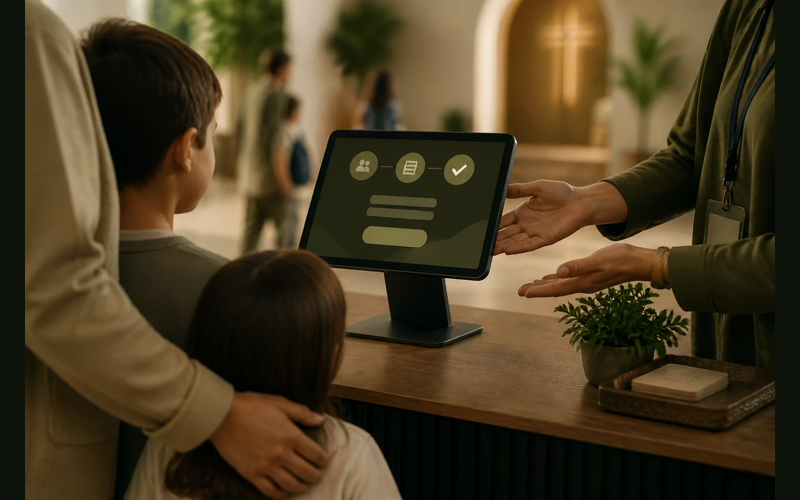
A church can choose a strong check-in system and still struggle to get families to use it. Good security features, printed name tags, allergy notes, and parent pickup alerts only help when the process fits the way families actually arrive on Sunday morning.
The first Sunday, about half the families used it. By the third Sunday, that number had dropped to a handful. Within two months, volunteers were back to writing names on a clipboard by the classroom door.
The system worked. The problem was that nobody wanted to use it.
This is a familiar story in churches of every size, and it points to something we often miss. When families don’t use a check-in system, we tend to assume they’re resistant to change or that they don’t care about security. But the real issue is almost always a systems problem, not a people problem. And systems problems have systems solutions.
The speed problem
Most families arrive at church in a window of about fifteen minutes. Parents are managing coats, diaper bags, sippy cups, the child who doesn’t want to go to class, and the one who sprinted ahead into the hallway. They are not in a leisurely frame of mind.
If your check-in process adds more than sixty seconds to that arrival, you’re asking families to absorb a cost they didn’t budget for. That cost compounds when you have three kiosks and twenty-five families arriving between 9:45 and 10:00. A line forms. Parents see the line and skip the kiosk entirely. The volunteer at the door lets them through because the alternative is a backed-up hallway and a worship service that starts with everyone frazzled.
The speed problem is the most common reason check-in adoption fails, and it’s worth understanding why.
Most check-in systems are designed to do many things: print name tags, log allergies, track attendance, assign room numbers, text parents. Each of those features is useful. But each one adds a step, a screen tap, a moment of waiting. The system was built for completeness, not for the reality of a Sunday morning hallway.
The fix is to strip the check-in experience down to what must happen at the kiosk and move everything else somewhere else in the process.
Pre-registration is the single most effective tool here. When a family’s information is already in the system, check-in becomes a search and a tap. Some platforms support check-in by phone number alone. The parent types in their number, confirms the children, and the name tags print. Ten seconds. No scrolling through menus. No typing last names on a touchscreen with a toddler on one hip.
If your platform supports a mobile check-in option, consider encouraging families to check in from their car. By the time they walk through the door, the name tags are already printed and waiting. The hallway experience goes from a bottleneck to a greeting.
Speed isn’t a convenience issue. It’s an adoption issue. A process that feels slow on the first Sunday feels like a burden by the fourth. And parents who feel burdened stop participating.
The complexity problem
There’s a version of this where the system itself is fine, but the experience of using it feels complicated.
A parent walks up to a kiosk for the first time. The screen asks them to create an account. They need to enter each child’s name, birthdate, grade, allergies, authorized pickup contacts, and a phone number for notifications. Some systems ask for a photo. Some generate a security code. Some require both parents to register separately.
Each piece of information has a good reason behind it. Allergies matter. Security codes protect children. Authorized pickup lists exist because churches have a real responsibility to release children only to the right adults. None of this is unnecessary.
But all of it, presented at once, at a kiosk, on a Sunday morning, with a line forming behind you, is too much.
The complexity problem isn’t about the data you collect. It’s about when and how you collect it.
The most effective approach is to separate registration from check-in entirely. Give families a way to register before they ever walk through the door. A simple online form sent by email or text during the week, or even a paper form they fill out at home and bring with them. When the information is already in the system, their first Sunday check-in experience is just as fast as everyone else’s.
For families who show up without registering (and they will), have a volunteer with a tablet ready to walk them through it personally. Not a kiosk experience. A human experience. Someone who says, “Let me get you set up while your kids head to class.” That volunteer enters the information, the parent doesn’t feel like they’re holding up a line, and by next week the family is in the system and checking in with a phone number.
The goal is that no family should have to figure out the system alone in a public setting on their first visit. That’s where we lose people, and it’s avoidable.
The volunteer problem
Check-in systems don’t run themselves. Someone needs to turn on the kiosks. Someone needs to load the label printer with the right stock. Someone needs to stand near the kiosk and help the parent who’s tapping the screen and getting frustrated. Someone needs to troubleshoot when the printer jams or the Wi-Fi drops.
In many churches, there is no one assigned to any of these roles.
The kiosk sits on a table in the hallway. It may or may not be turned on when people arrive. The label printer may or may not have paper. If something goes wrong, a parent stands there looking around for help until they give up and walk their child to the classroom without a name tag.
When this happens a few Sundays in a row, the unspoken tangleage is clear: this system is optional. It’s there if you want to use it, but nobody is going to make sure it works.
Volunteers are the infrastructure that makes check-in function. Not the technology. Not the software. The people standing next to it.
You need at least one person whose only job on Sunday morning is owning the check-in experience. Not greeting at the door and also managing the kiosk. Not teaching a class and running out to fix the printer. One person, present before the first family arrives, who makes sure the hardware works, the paper is loaded, and every family gets a smooth experience.
In smaller churches, this might feel like a lot to ask. One more volunteer role in a community where people are already stretched thin. But consider the alternative: a check-in system that nobody uses because nobody is maintaining it. The monthly subscription keeps charging, the data stays empty, and the security benefit you invested in never materializes.
That’s not a staffing problem. It’s a prioritization problem. If check-in matters enough to pay for, it matters enough to staff.
The value problem
This one gets overlooked the most.
Parents don’t resist check-in because they’re difficult. They skip it because they don’t see why it matters.
From a church leader’s perspective, the value of check-in is obvious. Attendance data. Security protocols. Emergency contact information. Allergy tracking. Legal liability protection. These are real and important reasons to have a system in place.
But parents don’t experience any of that at the kiosk. What they experience is a process that slows them down on their way to dropping off their child. Unless someone has explained why the process exists, they only feel the cost without understanding the benefit.
This is a communication gap, and closing it changes adoption more than almost any technical fix.
Tell parents why check-in matters. Not in a policy document buried on your website. Tell them directly, in the room, during the service.
A thirty-second explanation from the stage can reshape how families think about the process. Something as simple as: “We check in every child on Sunday mornings because we want to make sure only authorized adults pick up your kids. The name tag your child wears includes a code that matches the one on your receipt. If those don’t match, we’ll contact you before releasing your child to anyone. That’s not red tape. That’s your child’s safety.”
When parents understand that the system exists to protect their family, the kiosk stops being an inconvenience and becomes a reassurance. The sixty seconds it takes to check in is suddenly worth it because they understand what it accomplishes.
You can reinforce this through your new family welcome process. When a first-time family visits, walk them through check-in personally and explain the purpose as you go. Don’t just show them how it works. Tell them why it works this way. “We track allergies here because your child’s classroom volunteer will see this on the name tag and know not to give them the standard snack.” That kind of specificity builds trust faster than any policy page.
Making the system fit the sunday
Most of the problems described above share a common root: the system was designed for an ideal version of Sunday morning, not the real one.
The real one involves parents who are running late, toddlers who are crying, volunteers who got recruited yesterday, Wi-Fi that drops during the sermon, and a label printer that decides today is the day it stops recognizing the roll of thermal paper you bought three weeks ago.
Designing for that reality means making choices.
It means choosing speed over completeness at the kiosk. Collect the essentials during check-in and gather everything else through a separate process during the week.
It means choosing simplicity over sophistication in your initial rollout. Turn on the features you need right now and leave the rest for later. A system that does two things well and gets used every Sunday is more valuable than a system that does ten things and gets used once a month.
It means choosing one consistent volunteer over a rotating roster of people who each have a vague sense of how things work. Consistency at the check-in station builds confidence among families. They see the same face, they know where to go, and the process becomes familiar.
And it means choosing to communicate the value of the system repeatedly, not just when you launch it. New families visit every month. Existing families forget. A brief reminder every few weeks keeps the purpose fresh and the adoption high.
Start with what’s broken
If your check-in adoption is low right now, resist the temptation to overhaul everything at once. Instead, identify which of these four problems is doing the most damage.
Is the process too slow? Focus on pre-registration and reducing the number of screens families see at the kiosk.
Is it too complicated for new families? Build an onboarding path that separates registration from the Sunday morning experience.
Are there no volunteers supporting the system? Recruit one person and give them clear ownership of the check-in process on Sunday mornings.
Do parents not understand why it matters? Start talking about it from the stage, in your welcome packets, and during your first-visit experience.
You probably don’t need a different system. You need the system you already have to work within the real conditions of your Sunday morning. That means adjusting the process around the people, not asking the people to adjust to the process.
The families in your church are not the obstacle. They’ll use a system that respects their time, protects their children, and doesn’t require a learning curve on a Sunday morning. When check-in works, it becomes invisible. Parents do it without thinking, volunteers manage it without stress, and your children’s ministry has the data and security it needs without anyone feeling like they fought for it.
That’s what a good system looks like. Not the one with the most features. The one that disappears into the rhythm of the morning.


Recent Posts
-
 “Broadcast” was a farming word first, and it changes how you read Matthew 13
 -
 What broadcasting actually looks like in an ordinary week
 -
 The one ChMS report that tells you if people are actually connecting
 -
 Breeze vs ChurchTrac: Which One Fits a Smaller Church Better?
 -
 How to evaluate church management software for your size church