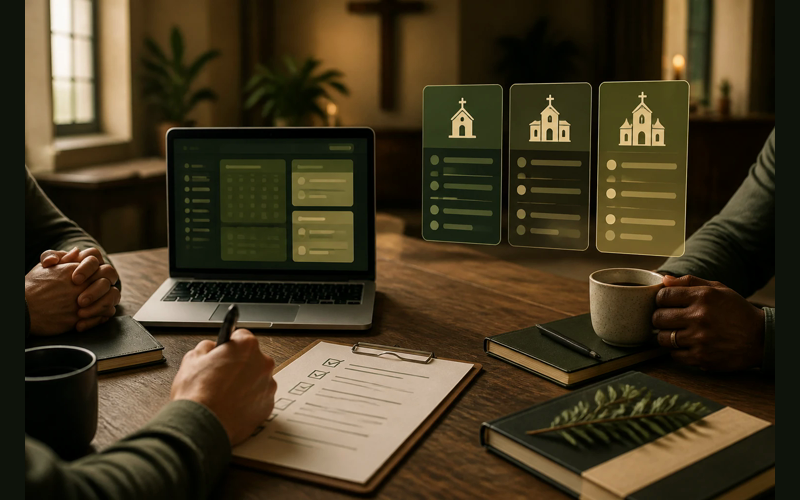
A church can spend months researching church management software and still choose a platform built for a much larger ministry. The demos may look impressive. The feature list may be long. The problem shows up later when a volunteer admin spends more time learning the system than using it.
The research is not always the problem. The problem is that much of the advice is written for a church with more staff, more budget, and more administrative capacity than a smaller church actually has.
That experience is common enough that it’s worth addressing directly. Choosing a church management system (ChMS) is a stewardship decision. The right tool makes your ministry more effective with the resources you already have. The wrong one adds complexity, drains time from people who are already stretched thin, and costs money that could serve your community in better ways.
What follows is a framework for making that decision well, regardless of whether your church has 30 people or 300.
Start with what you actually do, not what a platform can do
Most evaluation mistakes happen in the same place: we start by looking at features instead of looking at ourselves. A platform with 40 features sounds better than one with 15. But if your church only needs seven of those features right now, the extra 33 aren’t an advantage. They’re noise.
Before you open a single product website, write down the tasks your church handles every week. People tracking. Attendance. Giving records. Communication. Volunteer scheduling. Event registration. Child check-in.
Some of those will be daily realities for your ministry. Others won’t apply at all. A church of 50 with no children’s program doesn’t need check-in software. A church plant that meets in a school gym probably doesn’t need facility scheduling. That clarity about what you actually need right now is the most useful thing you can bring into an evaluation.
The churches that end up happiest with their software are the ones who started by understanding their own operations, then went looking for a match. The churches that end up frustrated are the ones who picked the most impressive-looking platform and tried to grow into it.
Pricing structures tell you who the software was built for
The way a company prices its product tells you which churches it considers its core audience. That information matters more than almost anything on the features page.
ChurchTrac offers a free plan and paid tiers starting around $6 per month. That pricing exists because the company built its product for small churches first. The free tier isn’t a marketing gimmick. It’s a genuine entry point for a church that needs basic people management and giving records without a monthly cost.
Breeze charges a flat monthly rate, currently under $70 per month for their standalone ChMS, regardless of church size. No per-person pricing, no tiered feature gates. That model works well for churches that want predictable costs and don’t want to worry about price jumps as their community grows.
Planning Center takes a modular approach. You pay per product: check-ins, giving, groups, services, registrations. Each module has its own pricing tiers based on usage. Their People database is free with any paid module. This structure means a church can start with just one tool, like scheduling worship volunteers at $14 per month, and add more pieces only when the need is real.
Tithe.ly bundles giving, people management, church apps, websites, and messaging into an all-access package at $119 per month. Their giving tool alone has no monthly fee, just transaction processing costs. If your church needs several of those tools, the bundle pricing can make sense. If you only need one or two, you’re paying for things you won’t use.
Pushpay uses quote-based pricing and doesn’t publish rates on their website. Reviews consistently place their costs significantly higher than other options, with annual contracts and pricing structures designed for churches with substantial giving volume. For most churches under 300, the financial commitment is difficult to justify against what other platforms offer at a fraction of the cost.
TouchPoint prices based on active records, starting at $6,000 annually. The per-record model means your cost scales with your database size. For a church with a large, active membership base, that can be reasonable. For a smaller church, it’s worth calculating your actual per-month cost against simpler flat-rate options.
None of these pricing models are wrong. They each reflect a different philosophy about who the product serves. Your job is to find the one whose philosophy matches your church’s reality.
The volunteer test
Could your least tech-savvy volunteer use this software after 30 minutes of training?
That question matters because in most churches, the person managing the database isn’t a paid staff member with IT experience. It might be a retired schoolteacher, a college student helping out on Tuesday mornings, or the pastor handling it between sermon prep and hospital visits.
Software that requires hours of training, a dedicated administrator, or a comfort level with complex database tools is software built for churches with dedicated operations staff. If that’s your church, great. If it’s not, ease of use isn’t a nice-to-have. It’s the difference between the system getting used and the system getting abandoned.
During your trial period, don’t just test the software yourself. Hand it to the person who will actually manage it day to day. Watch where they get stuck. If they can enter a new family, record a donation, and send a group email without asking you for help, you’ve found something that fits. If they can’t, the feature list doesn’t matter.
What “growing into” software actually costs
There’s a common piece of advice in ChMS discussions: pick a platform you can grow into. The logic sounds reasonable. Choose something with more capacity than you need now so you don’t have to switch later.
The hidden assumption is that switching costs are so high, you should overpay and overcomplicate things now to avoid them later. But that assumption deserves examination.
Switching a ChMS takes real effort. Most platforms offer data export, and many offer import assistance. The actual transition for a church of 200 takes a few weeks of focused work, not the months of disruption people tend to fear.
Meanwhile, the cost of using the wrong software for three years is real and ongoing. Monthly fees you didn’t need to pay. Volunteer hours lost to a confusing interface. Features that create busywork instead of reducing it. Communication tools that go unused because they’re buried three menus deep.
The better version of that advice is this: pick a platform that fits your church now, and make sure it has a reasonable path to more capacity if you need it later. A church of 75 doesn’t need the same software as a church of 750. And if that church of 75 becomes a church of 200 in five years, the switching cost then will be a small price compared to five years of paying for and wrestling with a tool that never quite fit.
Run a real trial, not a features tour
Every ChMS offers a free trial. Most churches use that trial to click through menus and look at features. You’ll get far more out of those two weeks by entering real data instead.
Import your actual people and record last Sunday’s attendance. Log this week’s giving, schedule next month’s volunteers, and send a real email to your small group leaders. Do this with two or three platforms over the course of two to three weeks. Thirty minutes of real data entry will teach you more than two hours of demo videos ever could.
Pay attention to the things that don’t show up on feature comparison charts. How many clicks does it take to do something you’ll do every week? Does the mobile experience actually work, or is it a desktop interface crammed onto a phone screen? When you hit a problem, how fast does support respond, and do they give you a real answer or a link to a help article?
Those operational details are where the difference between a good fit and a frustrating fit actually lives.
The questions that actually matter
When you sit down to make your final decision, the features list and the pricing page will both be in front of you. But the deciding factors run deeper than either document.
Start with fit. Does this software match the way your church actually operates today? Not the way you hope to operate someday, not the way a bigger church operates. Today. And can the person who will manage this system do so without constant help? If the answer is “yes, with training,” ask how much training. More than a couple of hours is a signal worth paying attention to, because that training cost multiplies every time a volunteer turns over.
Then look at the money over time. A free tier that charges for every add-on can end up costing more than a flat rate. A flat rate can be wasteful if you only need one module. Do the math for your situation across two to three years, not just the first month.
There’s one more question worth sitting with: is the company building for churches like yours, or are you on the margins of their target market? Companies invest their development energy where their core customers are. If your church is an edge case for a given platform, your feature requests and support experience will reflect that over time.
What this decision actually protects
Every hour your admin volunteer spends wrestling with confusing software is an hour they’re not spending on the work that drew them to serve in the first place. Every dollar spent on features your church doesn’t use is a dollar unavailable for the ministries your community actually needs.
That’s what makes this worth getting right. Not because software is glamorous, but because the administrative Christ-followers in your church deserve tools that respect their time. The people giving financially deserve to know those gifts are tracked with care. The families walking through your doors for the first time deserve to be remembered.
A church of 40 can find a tool that fits without pretending to be a church of 400. That wasn’t true ten years ago. It’s true now. And choosing well is one of the quieter acts of faithfulness available to you this year.
Recent Posts
-
 “Broadcast” was a farming word first, and it changes how you read Matthew 13
 -
 What broadcasting actually looks like in an ordinary week
 -
 The one ChMS report that tells you if people are actually connecting
 -
 Breeze vs ChurchTrac: Which One Fits a Smaller Church Better?
 -
 How to evaluate church management software for your size church